15
EN
minipool Phantom PR1
U
Use
BASIC FUNCTIONS
POWER ON
OK
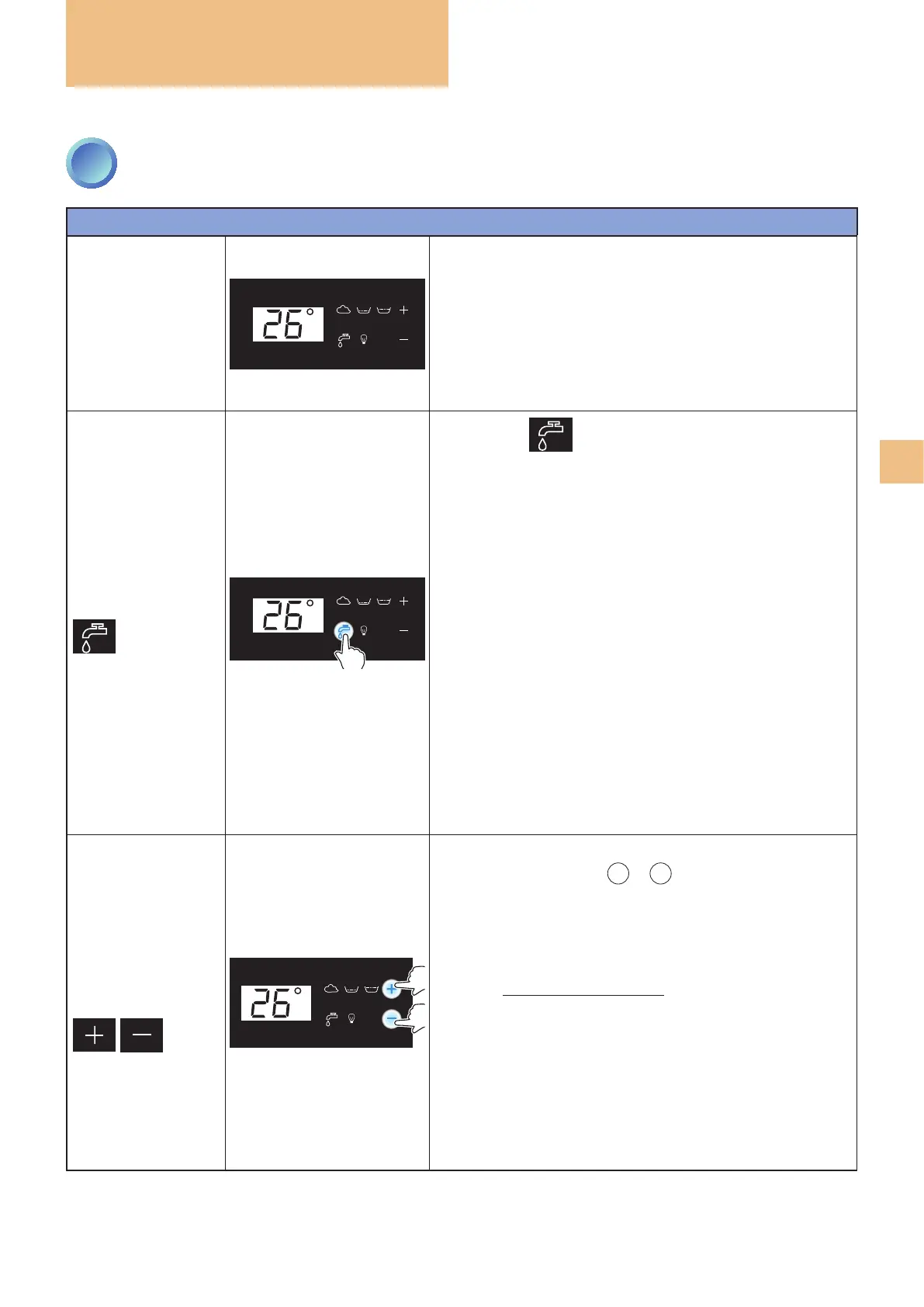
The minipool is powered on by connecting it to the mains.
When switched on, the display will show the logo "treesse"
and after a few seconds the display will show the current ambi-
ent temperature, and the various symbols on the keypad will
be illuminated with white light.
FILLING
OK
Pressing the key activates bathtub lling: lling in
progress is indicated by the blue icon.
First, the compensation tank is lled, and then - once the
water has reached the maximum level inside the tank - the
bathtub is lled through a recirculation pump, passing through
the lter and the heater.
Once lling has been completed and all the conditions nec-
essary for the operation of the minipool are met, the system
automatically stops the function and makes available the
following functions:
• WHIRLPOOL
• BLOWER
• RECIRCULATION*
• OZONE*
• HEATER**
* automatic functions that cannot be activated/deactivated by the
user
** automatically manages the water temperature
During use of the minipool, the system automatically main-
tains the water level ush with the skimmer edge of the pool.
WATER
TEMPERATURE
ADJUSTMENT
OK
When
one
of the two keys
+
or
-
is pressed once, the display
shows the current setting (default 35°C) and the two keys are il-
luminated with a strong blue light.
From the second press on, the displayed value is increased
or decreased by one degree at a time depending on the key
pressed (range from 15°C to 40°C).
After
six seconds of inactivity with the keys or if another key
is pressed, the adjustment function will end and the two keys
will return to white, memorising the new setting.
The function will activate the heater (ashing degree charac-
ter) with the objective of heating and maintaining the water
temperature at the set value (+/- 0.5°C).
3
CONTROL PANEL: HOW TO USE IT



 To Next Page