29
EN
minipool Phantom SP1
U
Use
3B
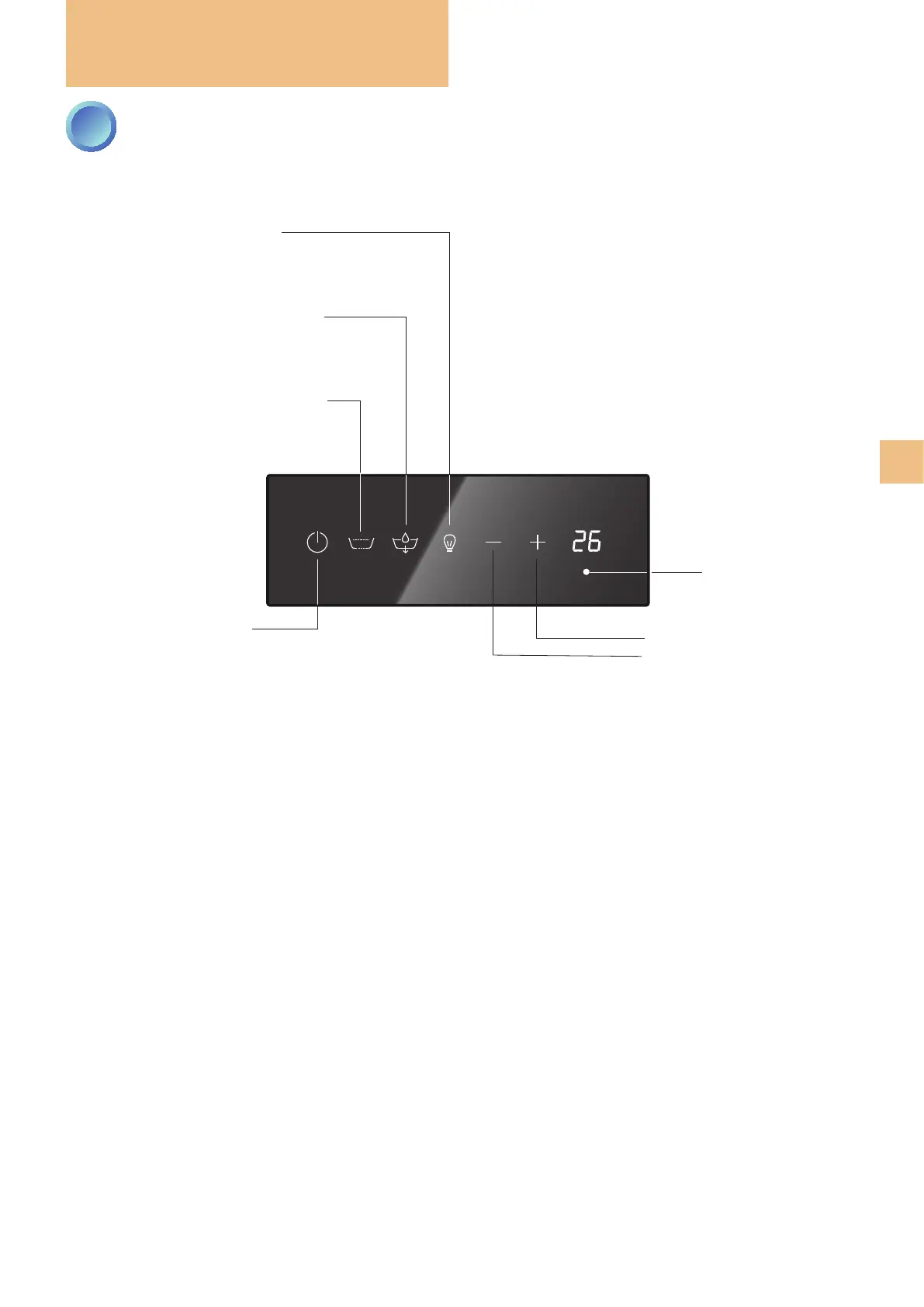
CONTROL PANEL: HOW TO USE IT
key to start/stop
sleep mode
WHITE: sleep mode NOT active
BLUE: sleep mode active
whirlpool activation (mild press)
WHITE: NOT active
BLUE: whirlpool in progress
bathtub ll/empty key
WHITE: NOT active
BLUE: lling in progress
FLASHING: emptying in progress
chromatherapy activation key
WHITE: chromatherapy NOT active
BLUE: xed colour
FLASHING: colours in sequence
value increase key (UP)
hidden key, not
visible but active:
pressing it for
3 sec. and then
pressing the
pool
lling/draining key
will enable the pool
draining
value decrease key (DOWN)



 To Next Page