8
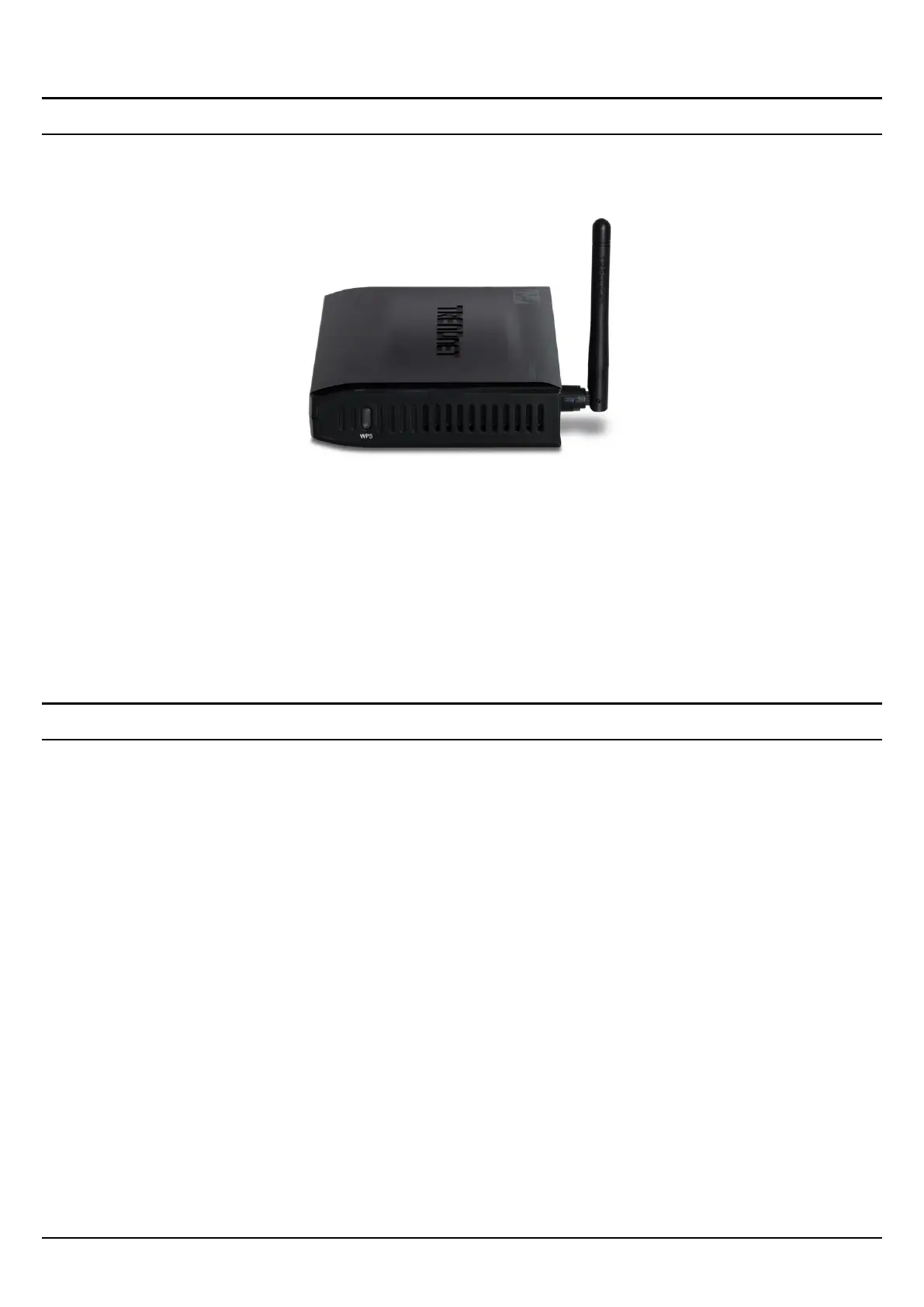
Side Panel
The figure below shows the side panel of the IEEE 802.11b/g/n Wireless Home
Router.
Side Panel
WPS
Push and hold this button for 3 seconds and release it to initiate the Wi-Fi
Protected Setup process.
Hanging Way
User can mount the device on a wall. Mount the Nylon screw anchors into a
cement wall and then drive a screw into the Nylon screw anchors. It does not need
to mount the Nylon screw anchors into a wood wall. Hook the mounting holes of
the switch back on the screws and completed the wall-mount.



 To Next Page