50
Log Setting
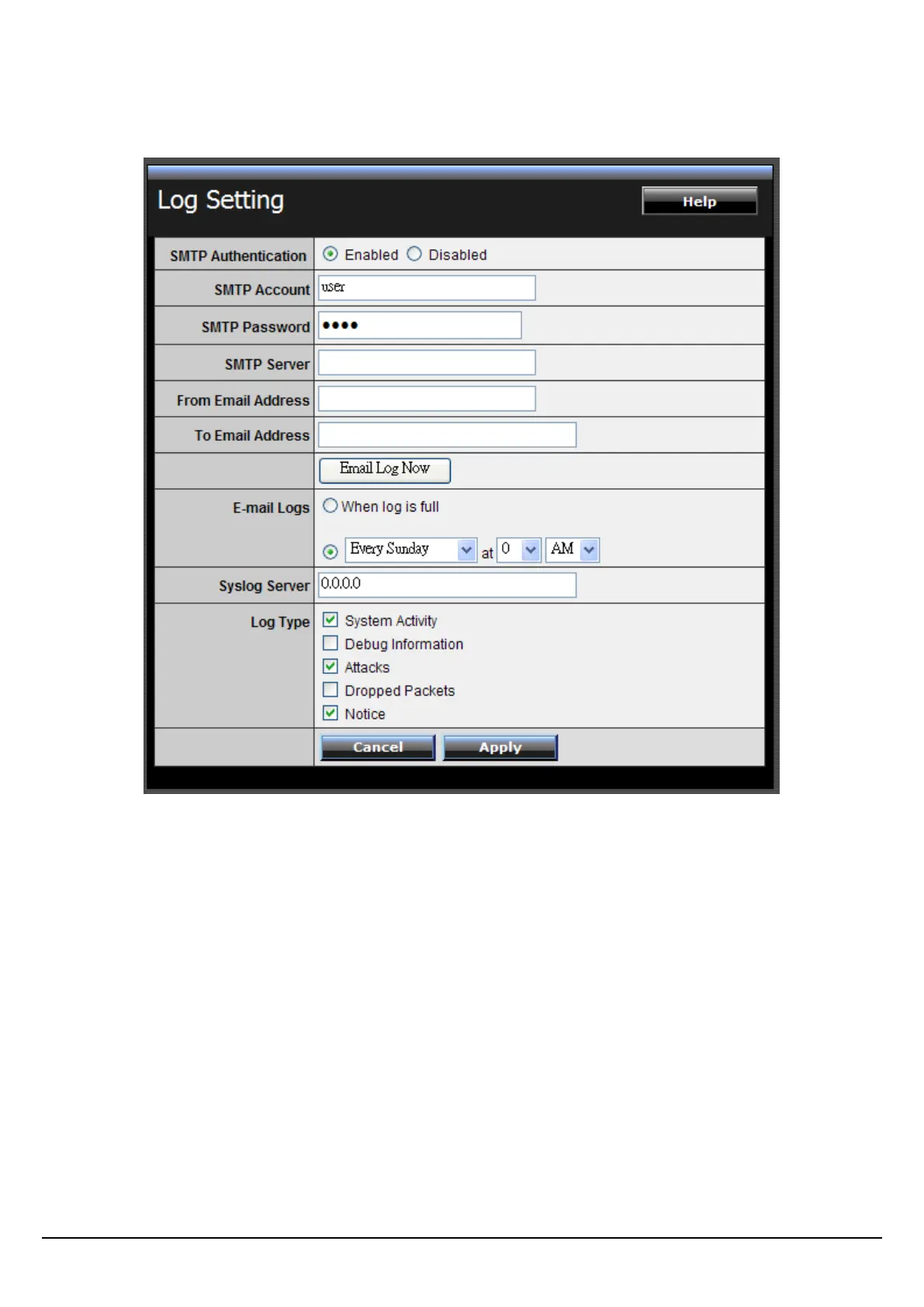
This screen enables users to set Router Log parameters.
SMTP Authentication: Selected the Enabled if the SMTP server need for
authentication, fill in account name and password in SMTP Account field and
SMTP Password field.
SMTP Account: If the SMTP Authentication enabled, fill in the SMTP account name
here.
SMTP Password: If the SMTP Authentication enabled, fill in the password of the
SMTP account here.
SMTP Server: Type your SMTP server address here.
From Email address: Type an email address for the log to be sent from.
To Email address: Type an email address for the log to be sent to. Click “Email Log
Now” to immediately send the current log.















 To Next Page