34
DNS: Enter the IP address of specified DNS server here, default value 0.0.0.0 is get
the DNS settings from ISP.
Auto-reconnect: Select the connection type for Always-on, Manual or Connect-on
Demand connecting.
Idle Time Out: Enter the idle time out for Connect on Daemon, when no Internet
access during the idle time, the PPPoE connection will auto disconnect.
MTU: Enter the specified MTU (Maximum Transmission Unit). The default value is
1492 bytes.
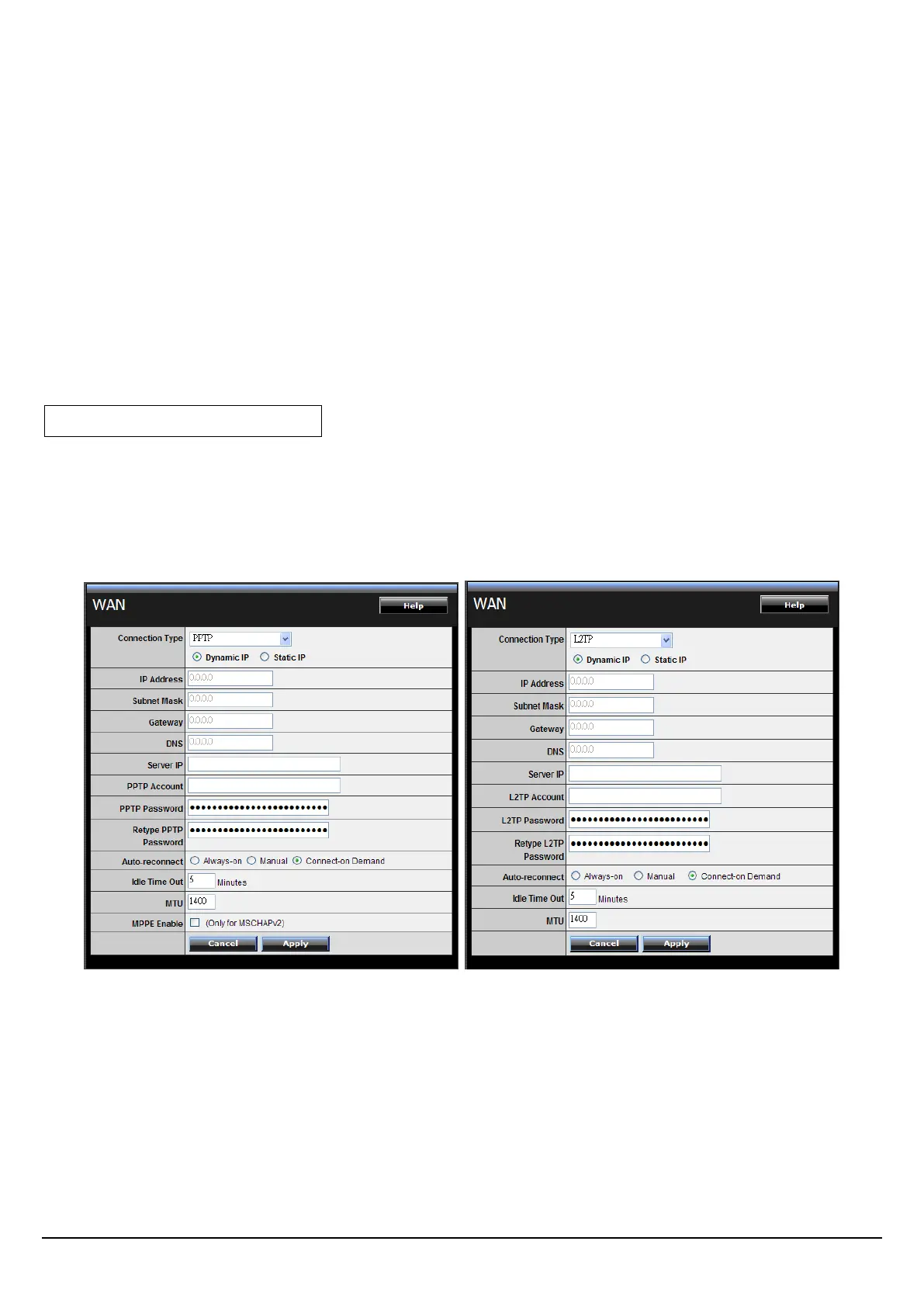
PPTP/L2TP with Dynamic IP
If connected to the Internet using a PPTP/L2TP (Dial-up xDSL) with dynamic IP
connection, enter the your Server IP, PPTP/L2TP Account and PPTP/L2TP Password,
if your ISP has provided you with a DNS IP address, enter it in the DNS field,
otherwise, leave it zero.



 To Next Page