44
Key 1: Enables users to create WEP keys with WPS enabled. Manually enter a set
of values for Key 1.
Key 1 ~ Key 4: Enables users to create up to 4 different WEP keys with WPS
disabled. Manually enter a set of values for each key. Select a key to use by
clicking the radio button next to the key.
WPA/WPA2/WPA-Auto Security with EAP
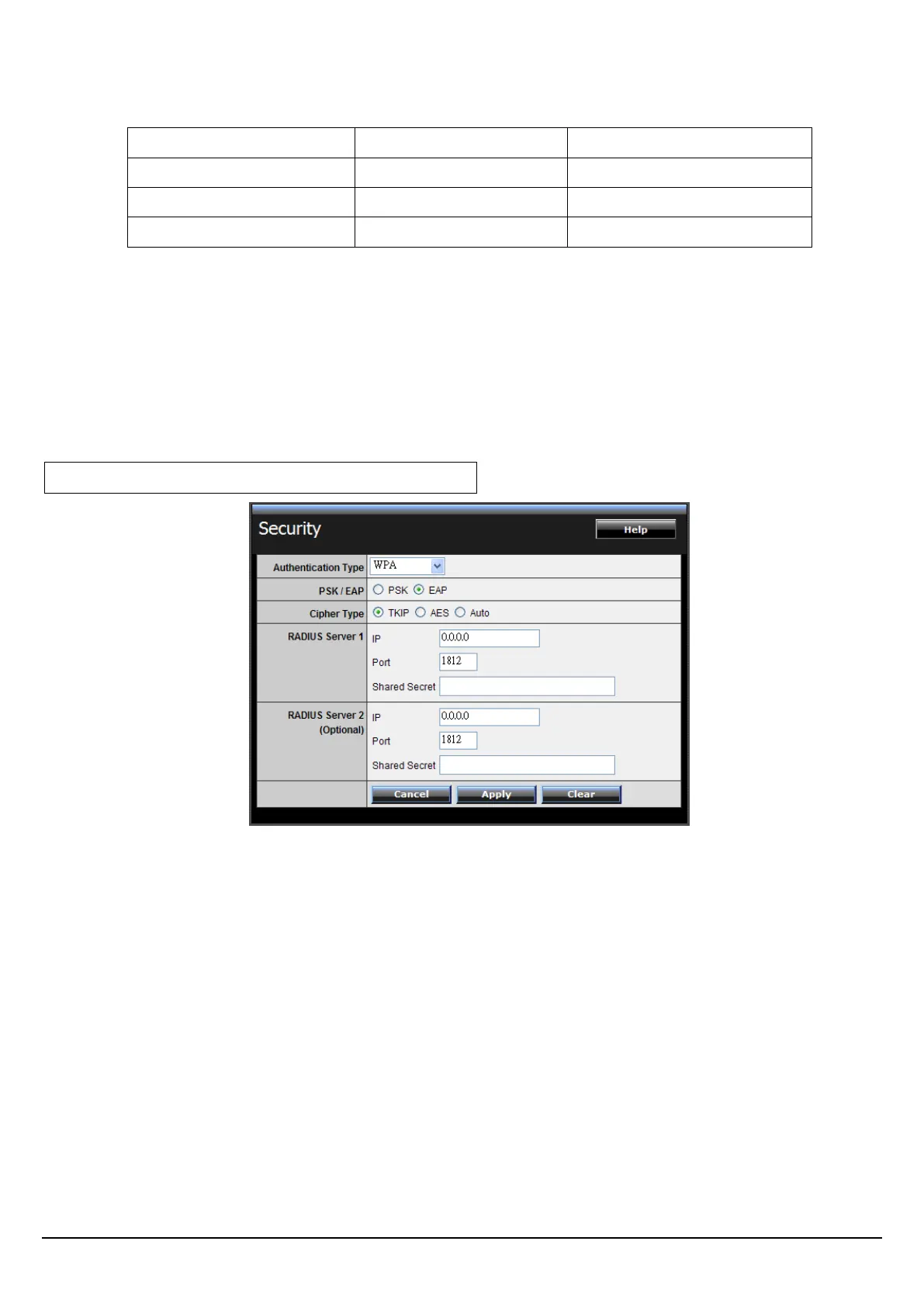
If WPA, WPA2 or WPA-Auto EAP is selected, the above screen is shown. Please
set the length of the encryption key and the parameters for the RADIUS server.
Cipher Type: Select the cipher type for TKIP or AES encryption, Selected Auto for
auto detects the cipher type.
RADIUS Server 1/2:
1. Enter the IP address, Port used and Shared Secret by the Primary Radius
Server 1.
2. Enter the IP address, Port used and Shared Secret by the Secondary Radius
Server 2. (optional)















 To Next Page