57
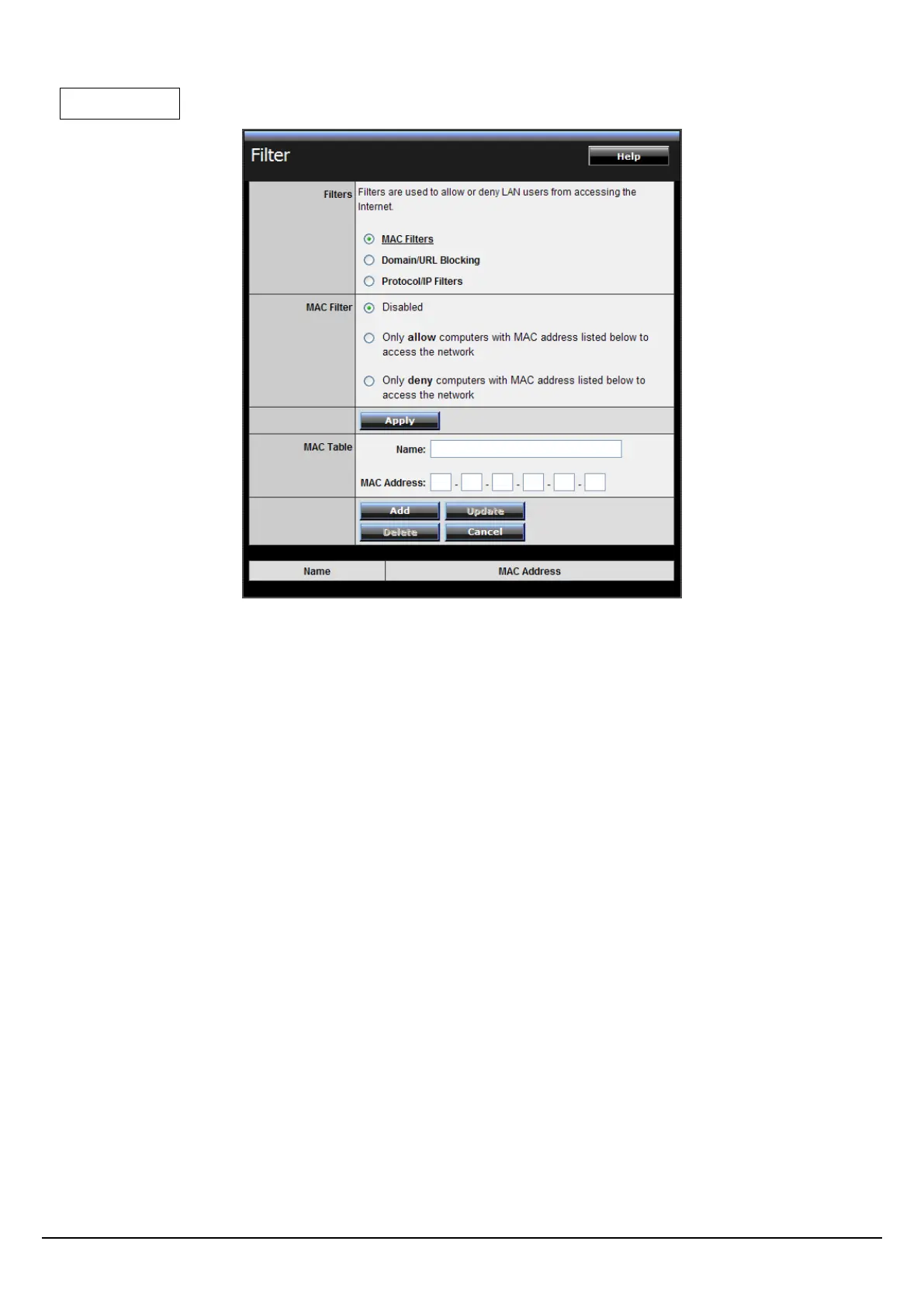
MAC Filters
MAC Filter: Enables you to allow or deny computers or devices access to the
router, access to your wired/wireless local network, and accessing the Internet.
Disable: Disable the MAC filter function.
Allow: Only allow computers with MAC address listed in the MAC Table.
Deny: Computers in the MAC Table are denied access to the router, access to
your wired/wireless local network (LAN/WLAN), and Internet access.
MAC Table: Use this section to create a user profile which internet access is
denied or allowed. The user profiles are listed in the table at the bottom of the
page. (Note: Click anywhere in the item. Once the line is selected, the fields
automatically load the item's parameters, which you can edit.)
Name: Type the name of the user to be permitted/denied access.
MAC Address: Type the MAC address of the user's network interface.
Add: Click to add the user to the list at the bottom of the page.
Update: Click to update information for the user, if you have changed any of
the fields.
Delete: Select a user from the table at the bottom of the list and click Delete to
remove the user profile.
Cancel: Click Cancel to erase all fields and enter new information.















 To Next Page