59
Protocol/IP Filters
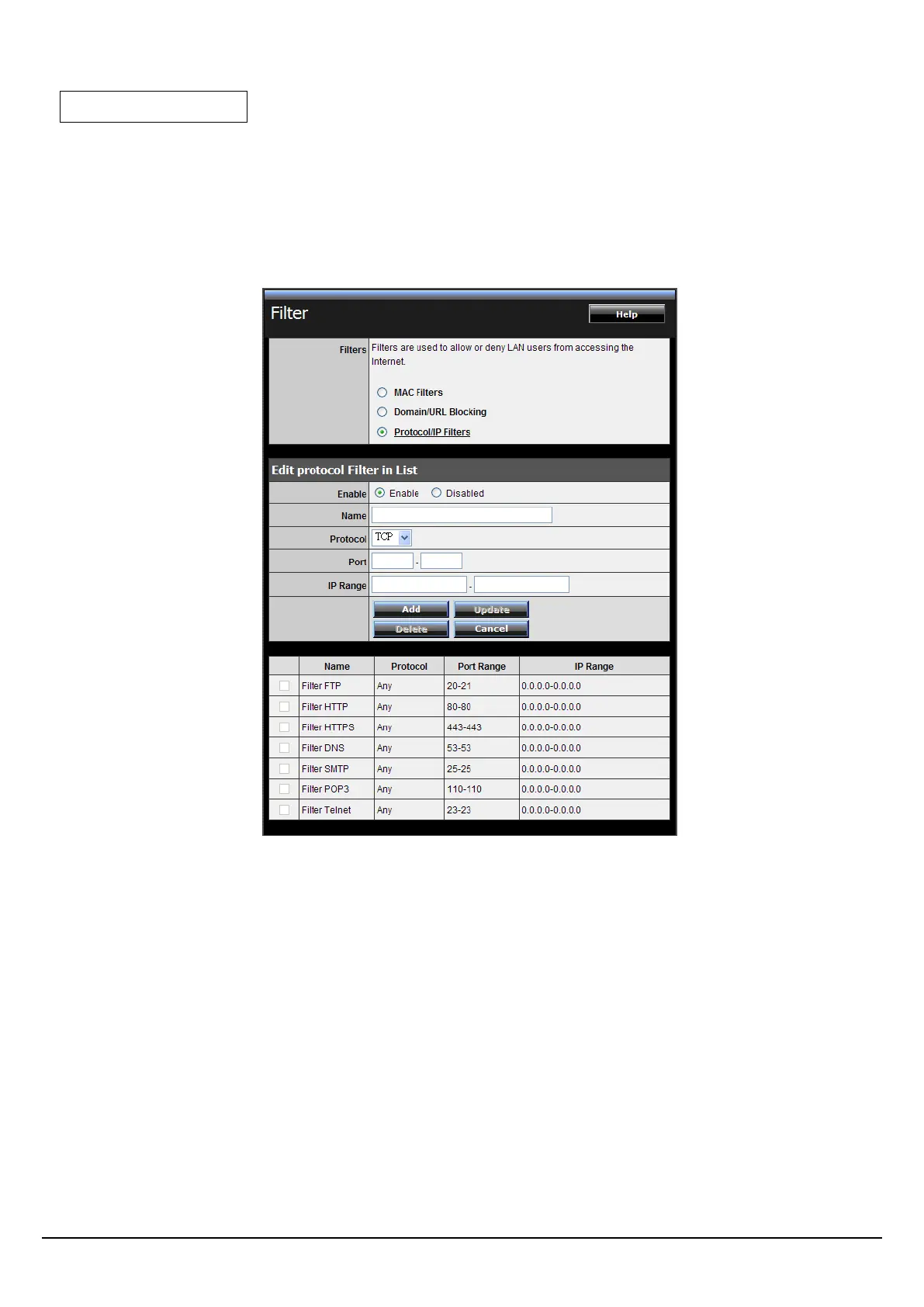
This screen enables you to define a minimum and maximum IP address range
filter; all IP addresses falling within the range are not allowed accessing internet.
The IP filter profiles are listed in the table at the bottom of the page. (Note: Click
anywhere in the item. Once the line is selected, the fields automatically load the
item's parameters, which you can edit.)
Enable: Click to enable or disable the IP address filter.
Name: Type the name of the user to be denied access.
Protocol: Select a protocol (TCP or UDP) to use for the virtual server.
Port: Type the port range of the protocol.
IP Range: Type the IP range. IP addresses falling between this value and the
Range End are not allowed to access the Internet.
Add: Click to add the IP range to the table at the bottom of the screen.
Update: Click to update information for the range if you have selected a list
item and have made changes.
Delete: Select a list item and click Delete to remove the item from the list.















 To Next Page