62
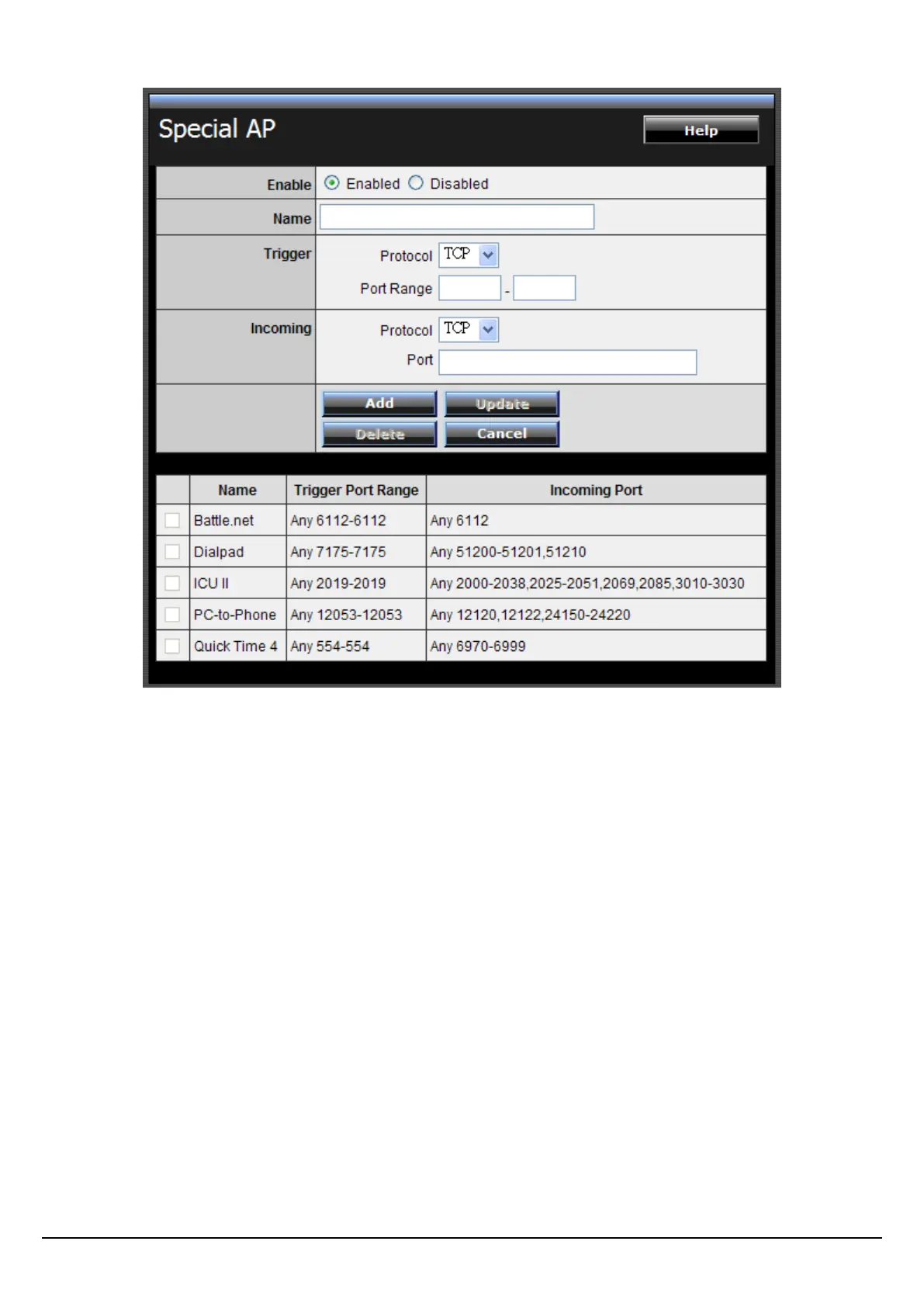
Enable: Click to enable or disable the application profile. When enabled, users will
be able to connect to the application via the WLAN Router’s WAN connection.
Click “Disabled” on a profile to prevent users from accessing the application on the
WAN connection.
Name: Type a descriptive name for the application.
Trigger: Defines the outgoing communication that determines whether the user
has legitimate access to the application.
Protocol: Select the protocol (TCP, UDP, or * for TCP+UDP) that can be used
to access the application.
Port Range: Type the port range that can be used to access the application in
the text boxes.
Incoming: Defines which incoming communications users are permitted to
connect with.
Protocol: Select the protocol (TCP, UDP, or * for TCP+UDP) that can be used
by the incoming communication.















 To Next Page