67
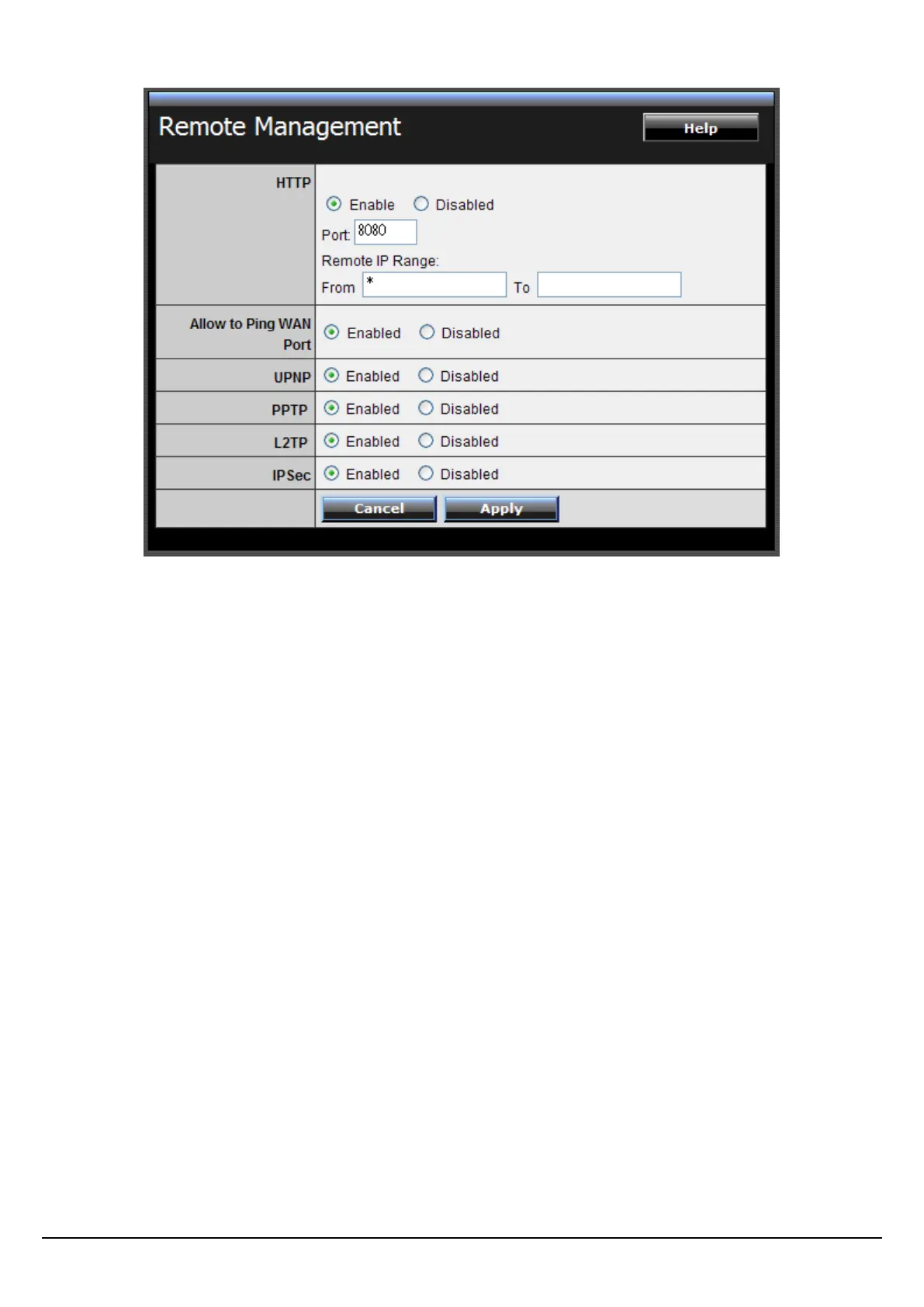
HTTP: Enables users to set up HTTP access of the Port number, and Remote IP
Range for remote management.
Allow to Ping WAN Port: Type a range of Router IP addresses that can be pinged
from remote locations
UPnP Enable: UPnP is short for Universal Plug and Play that is a networking
architecture that provides compatibility among networking equipment, software,
and peripherals. The WLAN Router is an UPnP-enabled Router and will only work
with other UPnP devices/software. If user does not want to use the UPnP
functionality, select “Disabled” to disable it.
PPTP: Enables users to set up PPTP access for remote management.
L2TP: Enables users to set up L2TP access for remote management.
IPSec: Enables users to set up IPSec access for remote management.















 To Next Page