TEW-753DAP User’s Guide System Conguration
© Copyright 2013 TRENDnet. All rights reserved.
35
SSID Sengs
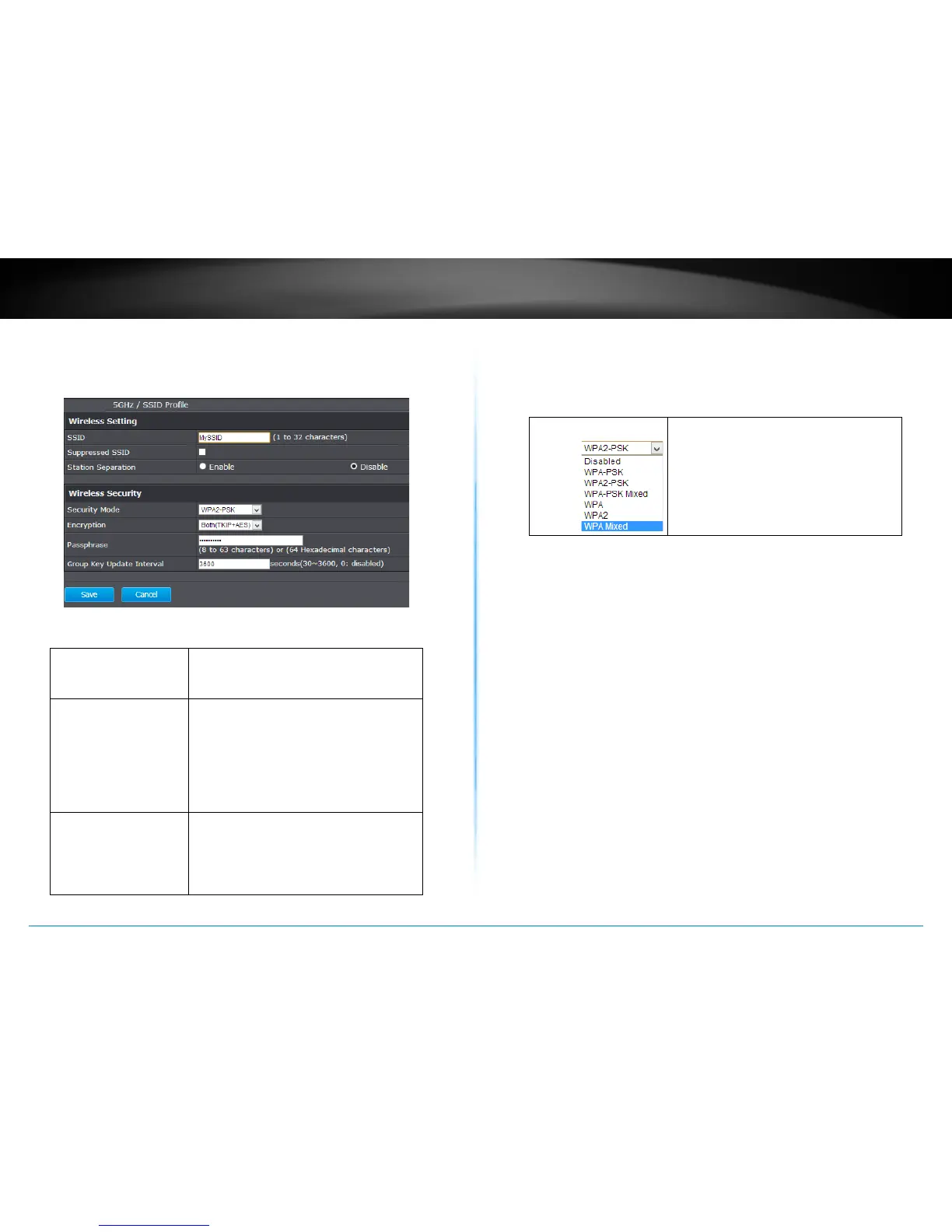
Click Edit for the SSID you want to edit. The following
setup window will appear.
Wireless Sengs
SSID : Select the human readable SSID to be
easily idened. You can choose any
combinaon with 1 to 32 leers .
Suppressed SSID : Check this box to suppress SSID
broadcasng. Your wireless network name
is broadcast to anyone within wireless
signal range. When this is box is checked,
you must enter the Wireless Network
Name (SSID) on the client manually to
connect to the network.
Staon Separaon : If you enable staon separaon, wireless
clients (a.k.a. STAs) associated with this
SSID cannot communicate to each other
directly, even if they are in the same
wireless group.
Wireless Security
Security Mode : Choose between Disabled, WPA-PSK,
WPA2-PSK or WPA-PSK mixed, WPA,
WPA2 or WPA Mixed for your wireless
security.















 To Next Page