
 Need help?
Do you have a question about the TRENDnet TEW-653AP and is the answer not in the manual?
Provides a general overview of the TEW-653AP's functions and features.
Highlights the main advantages and capabilities of the TEW-653AP for users.
Lists items included in the package and the minimum system requirements for setup.
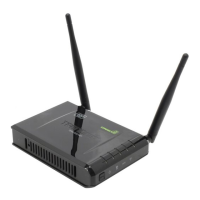
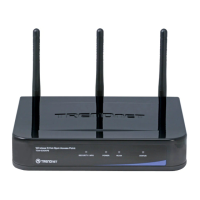
Details the components and ports located on the front and rear of the device.
Explains the different operational modes: Access Point, WDS Bridge, and Repeater.
Guides users on how to connect to and log into the device's web-based management interface.
Allows selection of operational modes and displays current device status information.
Configures Local Area Network (LAN) IP settings and DHCP server options.
Configures SNMP settings for network monitoring and management.
Allows users to set schedules for device operations, including power saving.
Provides access to system logs for monitoring events and activities.
Displays graphical representations of data rates for Ethernet and WLAN connections.
Configures fundamental wireless parameters like SSID, band, and channel for AP mode.
Adjusts advanced wireless parameters for optimizing performance in AP mode.
Manages security protocols to protect the wireless network in AP mode.
Details the configuration steps for WEP encryption in AP mode.
Configures WPA/WPA2 pre-shared key security for AP mode.
Sets up WPA RADIUS authentication for enterprise-level security in AP mode.
Filters network access by MAC addresses to allow only authorized devices in AP mode.
Enables and configures WPS for simplified wireless client connections in AP mode.
Configures Virtual LAN settings to segment the network in AP mode.
Manages Wireless Multi-Media (WMM) settings for prioritizing traffic in AP mode.
Configures fundamental wireless parameters for establishing a WDS bridge.
Manages security protocols for the WDS bridge connection.
Details the configuration steps for WEP encryption in WDS bridge mode.
Configures WPA/WPA2 pre-shared key security for WDS bridge mode.
Manages Wireless Multi-Media (WMM) settings for prioritizing traffic in Repeater mode.
Configures fundamental wireless parameters for the Repeater mode.
Adjusts advanced wireless parameters for optimizing performance in Repeater mode.
Manages security protocols to protect the wireless network in Repeater mode.
Details the configuration steps for WEP encryption in Repeater mode.
Configures WPA/WPA2 pre-shared key security for Repeater mode.
Filters network access by MAC addresses for authorized devices in Repeater mode.
Enables and configures WPS for simplified wireless client connections in Repeater mode.
Displays a list of wireless clients connected to the access point in Repeater mode.
Allows changing the administrative password for secure access to device settings.
Configures the device's time zone and synchronizes with an NTP server.
Enables and configures power saving features to reduce energy consumption.
Allows users to control the behavior of the device's LED indicators.
Provides tools like ping for diagnosing network connectivity issues.
Guides on how to download and install firmware updates for the access point.
Allows saving and restoring device configurations, including factory defaults.
Provides options to restart or reboot the access point without losing settings.
Details compliance with FCC regulations regarding radio frequency interference.
Details compliance with Industry Canada regulations regarding radio frequency interference.
Outlines the warranty period, terms, and conditions for the TRENDnet product.
Instructions on how to register the product online for warranty purposes.
 General
| Frequency Band | 2.4 GHz |
|---|---|
| Maximum Wireless Speed | 300 Mbps |
| Operating Humidity | 10% to 90% non-condensing |
| Wireless Standards | IEEE 802.11n |
| Ports | 1 x 10/100 Mbps Ethernet |
| Wireless Security | WEP, WPA, WPA2 |
| Operating Temperature | 0°C ~ 40°C (32°F ~ 104°F) |
| Operating Modes | Access Point, Repeater |











 To Next Page

