TEW-753DAP User’s Guide System Conguration
© Copyright 2013 TRENDnet. All rights reserved.
37
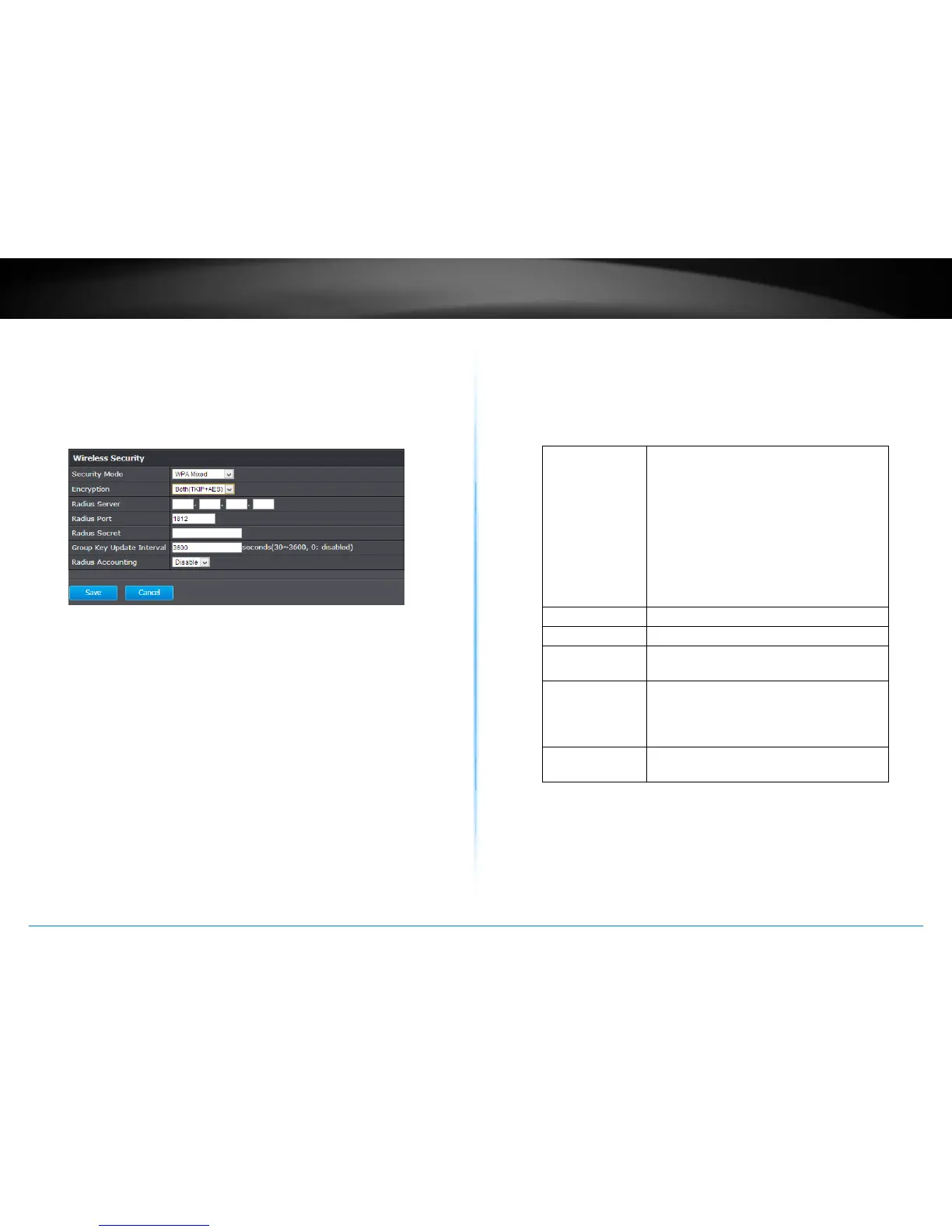
WPA, WPA2, Mixed WPA
This group of wireless security use remote key services,
RADIUS, to secure your wireless connecons. WPA2 is
currently the most advanced wireless encrypon. Choose
this opon if all of your devices support WPA2. Otherwise
choose WPA or WPA & WPA2 mixed
WPA Type : Select TKIP, AES, or Both. The encrypon
algorithm used to secure the data
communicaon. TKIP (Temporal Key
Integrity Protocol) provides per-packet
key generaon and is based on WEP. AES
(Advanced Encrypon Standard) is a very
secure block based encrypon. Note that, if
the bridge uses the AES opon, the bridge
can associate with the access point only if
the access point is also set to use only AES.
RADIUS Server : IP address of RADIUS server
RADIUS Port : RADIUS service port number. Default: 1812
RADIUS Secret: RADIUS service shared secret to
authencate this credenal agent.
Group Key
Update Interval :
Specify how oen the wireless key should
be renegoated. Shorter me intervals are
more secure, but cause more overhead.
(default: 3600 seconds/ 1 hour)
Radius
Accounng :
Enable or disable RADIUS accounng
service
Apply : Click this buon to apply the changes
Cancel : Click this buon to cancel the change















 To Next Page