TT31 Transponder Installation Manual 1 February 2010
00455-00 Issue AJ
______________________
8. Normal Operation
8.1 Overview
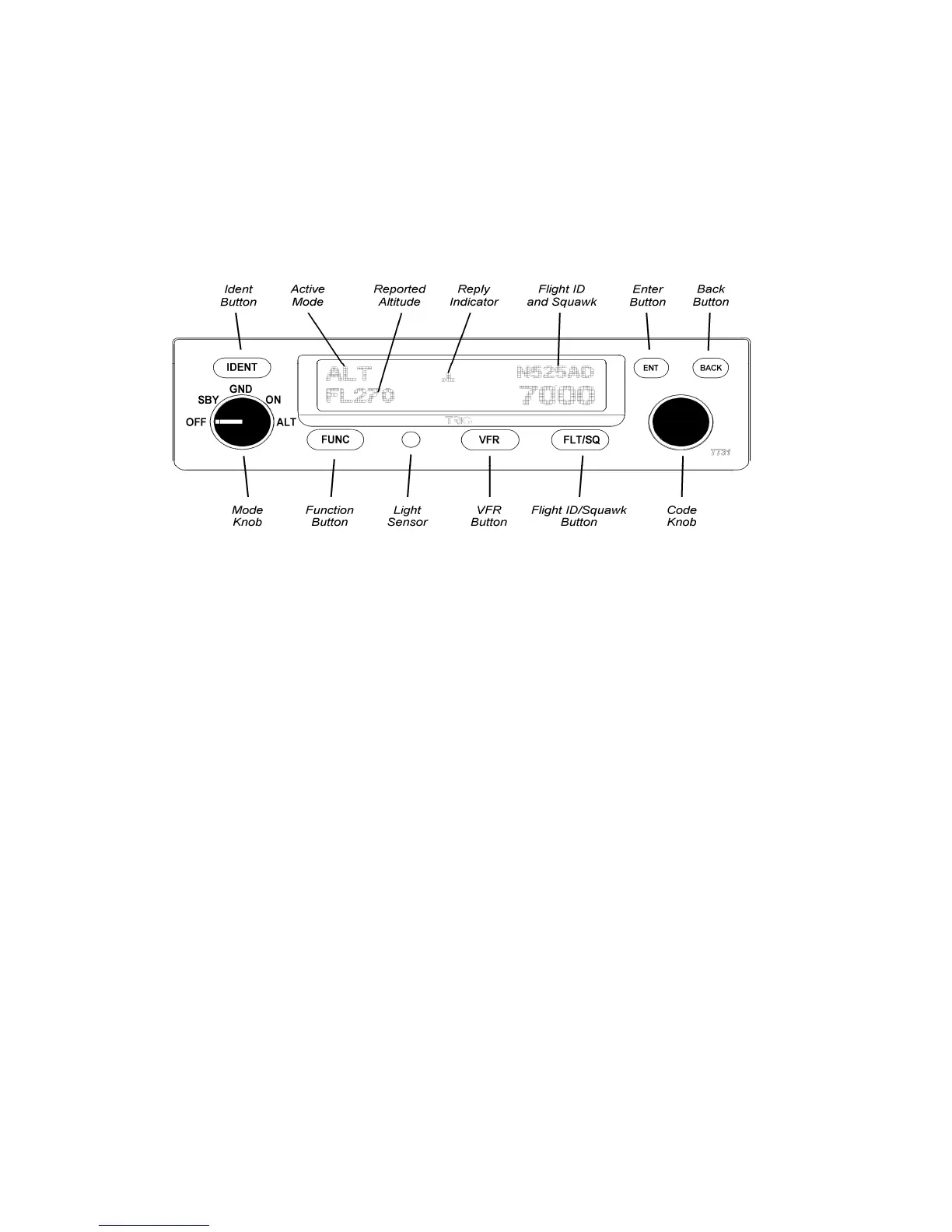
On the front panel is an amber backlit LCD display flanked by a rotary mode selector knob (OFF, SBY,
GND, ON, and ALT) and a continuously rotating knob used for code and data entry.
8.2 Display
The display shows the operating mode of the transponder, the reported pressure altitude, and the current
squawk code and Flight ID. The reply indicator is active when the transponder replies to interrogations.
The pressure altitude is displayed as a Flight Level, which is the pressure altitude in hundreds of feet.
When non-standard atmospheric conditions apply, this may not match the altimeter indicated altitude,
but will be correctly displayed by the ATC radar.
8.3 Mode Selector Knob
The left hand knob controls the power to the transponder and the operating mode.
OFF Power is removed from the transponder.
SBY The transponder is on, but will not reply to any interrogations.
GND The transponder will respond to Mode S ground interrogations from
surface movement radar.
ON The transponder will respond to all interrogations, but altitude
reporting is suppressed.
ALT The transponder will respond to all interrogations.
When airborne, the transponder should always be set to ALT unless otherwise directed by Air Traffic
Control. When you are taxiing on the ground, the transponder should be set to GND unless your
installation includes a gear squat switch. Aircraft installations that include a gear squat switch will
automatically select GND on landing.
Trig Avionics Limited Page 23


 To Next Page