User's Manual
750 50 0045 03 8
3.2 Setting-up
After unpacking, prepare the instrument as follows:
1. Clean the pads positioned underneath the
base using a clean cloth, slightly dampened
2. Position the instrument with care on a clean
measuring plate.
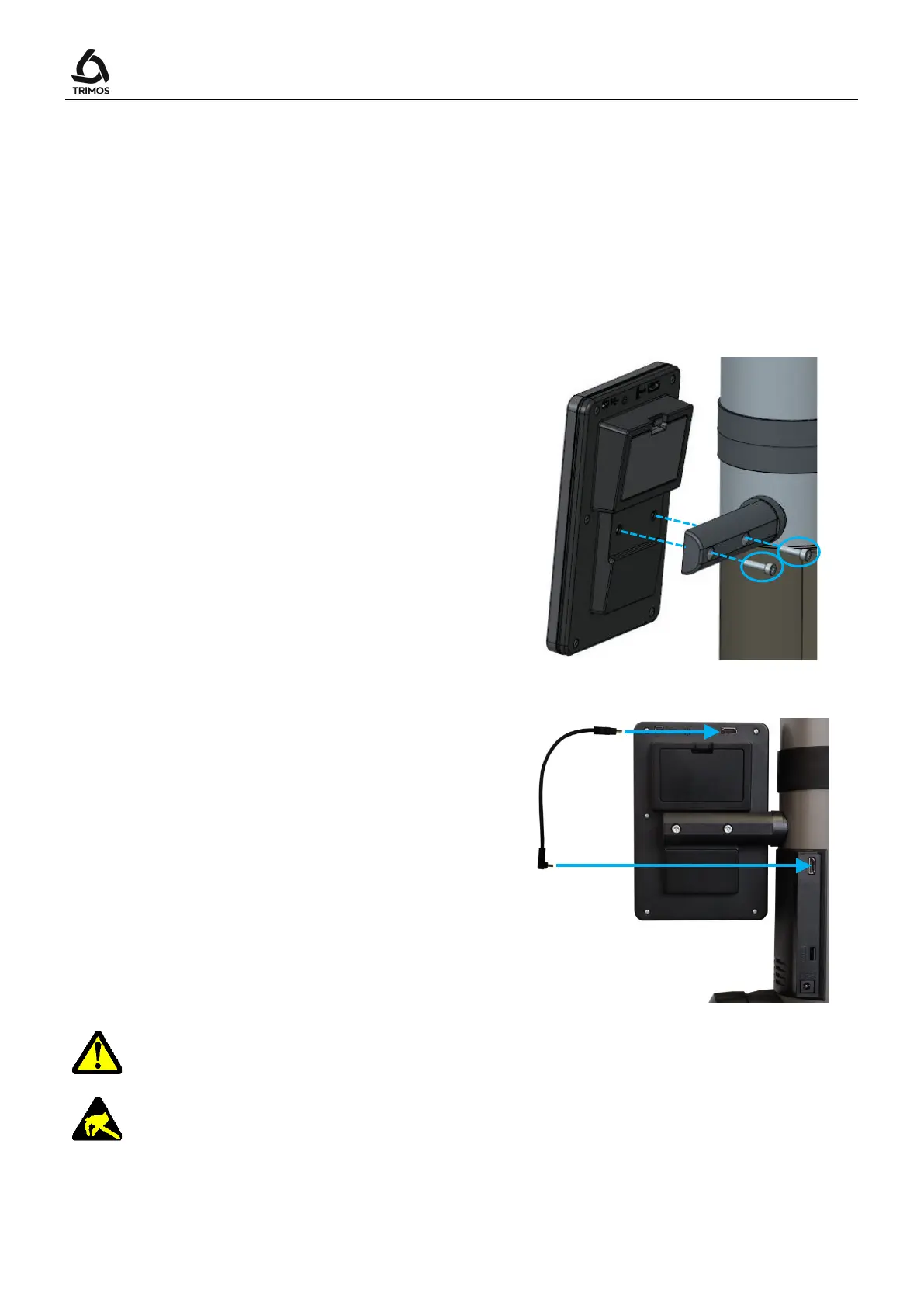
3. Mount the display unit on its support using
the 2 screws..
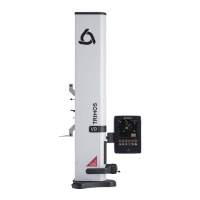
4. Connect the HDMI cable between the
instrument and the display unit.
The straight connector shall be connected to the display unit and the right-angle
connector to the instrument.
Static electricity can damage the electronic components of the instrument. In
order to prevent this type of damages, avoid any contact with the connector



 To Next Page