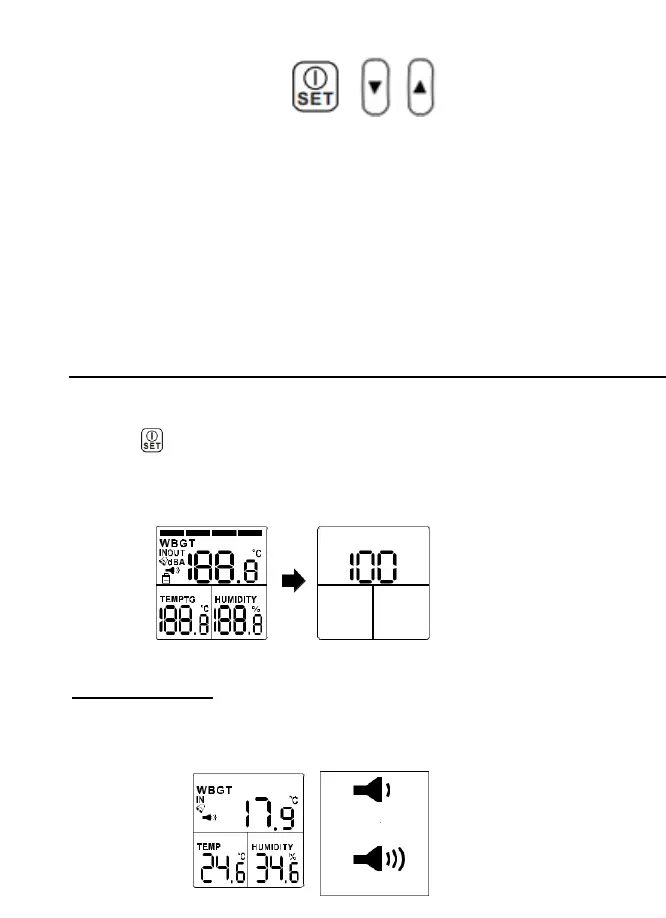
FUNCTION BUTTONS
Press the POWER/SET button to turn ON.
Press and hold the POWER/SET button for 2 seconds to turn
OFF.
In NORMAL MEASURMENT MODE press [SET] button [▲] and
[▼] button simultaneously for 3 seconds to enterSETTING Mode.
In power off status, press [SET] button, [▲] and [▼]
simultaneously for 5 seconds till entering RESET Mode.
In NORMAL MEASURMENT MODE, press [▲] or [▼] button to
adjust the sound level.
In SETTING MODE press [▲] or [▼] button to adjust the value of
thresholds or ON / OFF the alarm.
Operation
POWER
Press
to turn ON (press1 second) and turn OFF (press 2 seconds)
the meter. All indicators are shown on the LCD when powered ON and the
meter enters measurement mode. The firmware revision is displayed on
the LCD for 1 second when powered ON.
MEASUREMENT
When in measurement mode, the WBGT value, temperature and
humidity values are displayed on the LCD.


 To Next Page