ALARM
When the measured heat stress value is over alarm threshold, the red LED,
buzzer and measured value will all blink every second as a reminder. After
30 seconds, it beeps 1 time per minute. The user can disable beep sound at
any time when pressing [▼] key. The alarm threshold value can be re-
programmed. Check “SETUP” Mode in the following section in this manual
for further instruction.
SETUP MODE
This function allow users to customize their own default settings. Press the
button + [▲]+ [▼] buttons simultaneously for 3 seconds to enter SETUP
Mode. The meter will return to normal display while keys are inactive for 30
sec in setup mode. Display for either WBGT & HI (Heat Index) is switchable
by the user.
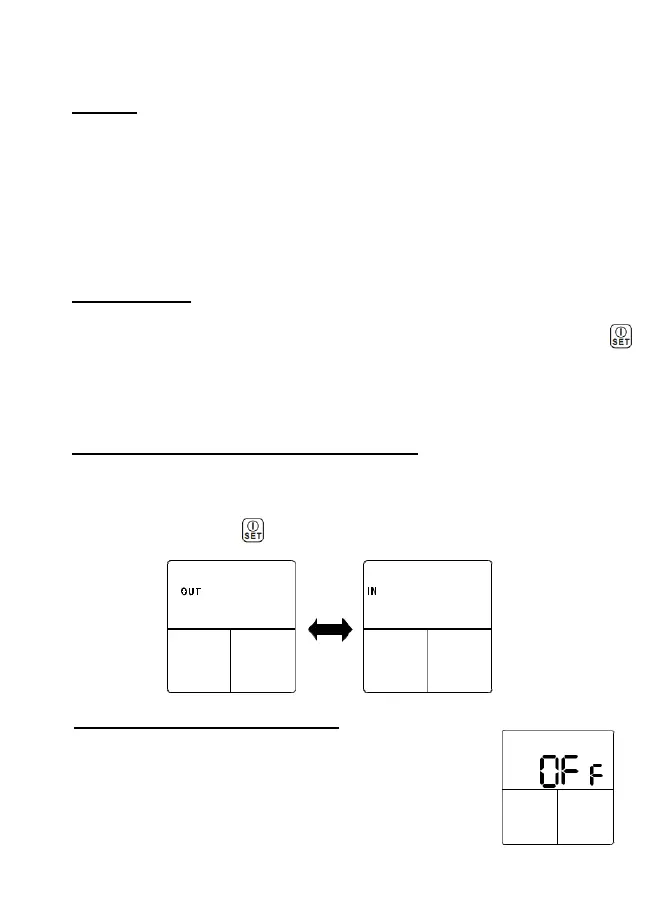
IN/OUT SWITCH (ONLY for WBGT mode)
This function serves to calculate WBGT without [IN] or with [OUT] direct
sun exposure.
Under IN/OUT modes, press [▲] or [▼] to switch
[IN / OUT] then press to confirm
ALARM THRESHOLD SETTING
This function allows users to customize alarm threshold
or stay at factory default alarm threshold. While choosing
to stay at factory default alarm threshold, please select
[OFF]. [OFF] means to turn off customization function.


 To Next Page