SOUND LEVEL
The user can press the [▲] or [▼] key to adjust the volume of the alarm. In
measuring mode, press [▲] or [▼] key to adjust the volume in 0dB > 60dB
>75dB respectively. The buzzer icon will be displayed.
Note: No Buzzer icon is displayed on the LCD when the sound is 0dB.
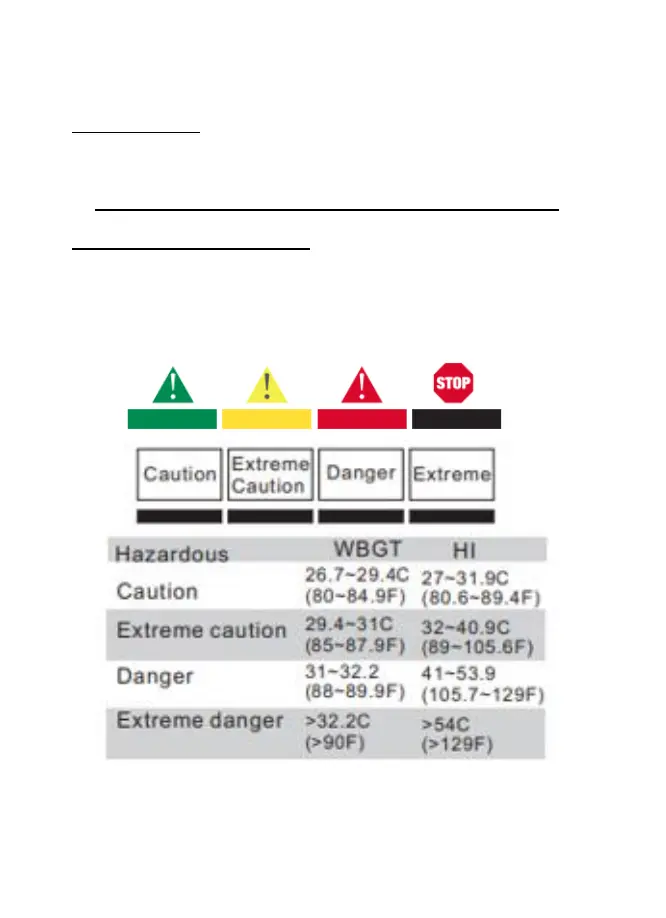
DANGER ZONE INDICATOR
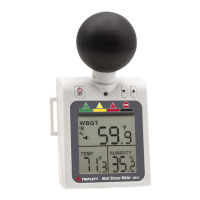
For both WBGT and HI there are 4 levels of heat stress danger zone
indications at the top of the LCD.


 To Next Page