Battery Installation and Replacement
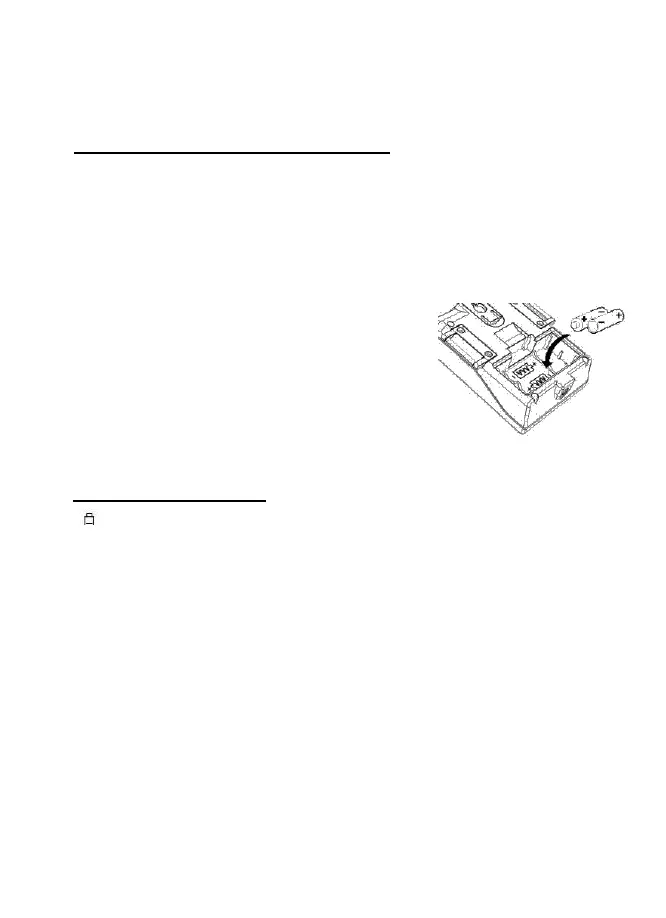
The meter is powered by (2)1.5V AAA batteries. First, check the batteries
when:
3. First time using the meter
4. The battery symbol appears on LCD
5. The meter does not power ON.
To install the batteries
1. Turn off the meter.
2. Remove the battery cover
3. Replace the old batteries with two new
batteies
4. Make sure the batteries are in the place and the
polarity is correct.
5. Replace the battery cover.
Low Battery Indication
appears on the LCD when battery voltage gets low. Please replace
battery by opening the compartment on the rear of the meter.


 To Next Page