10
Basic Operation continued
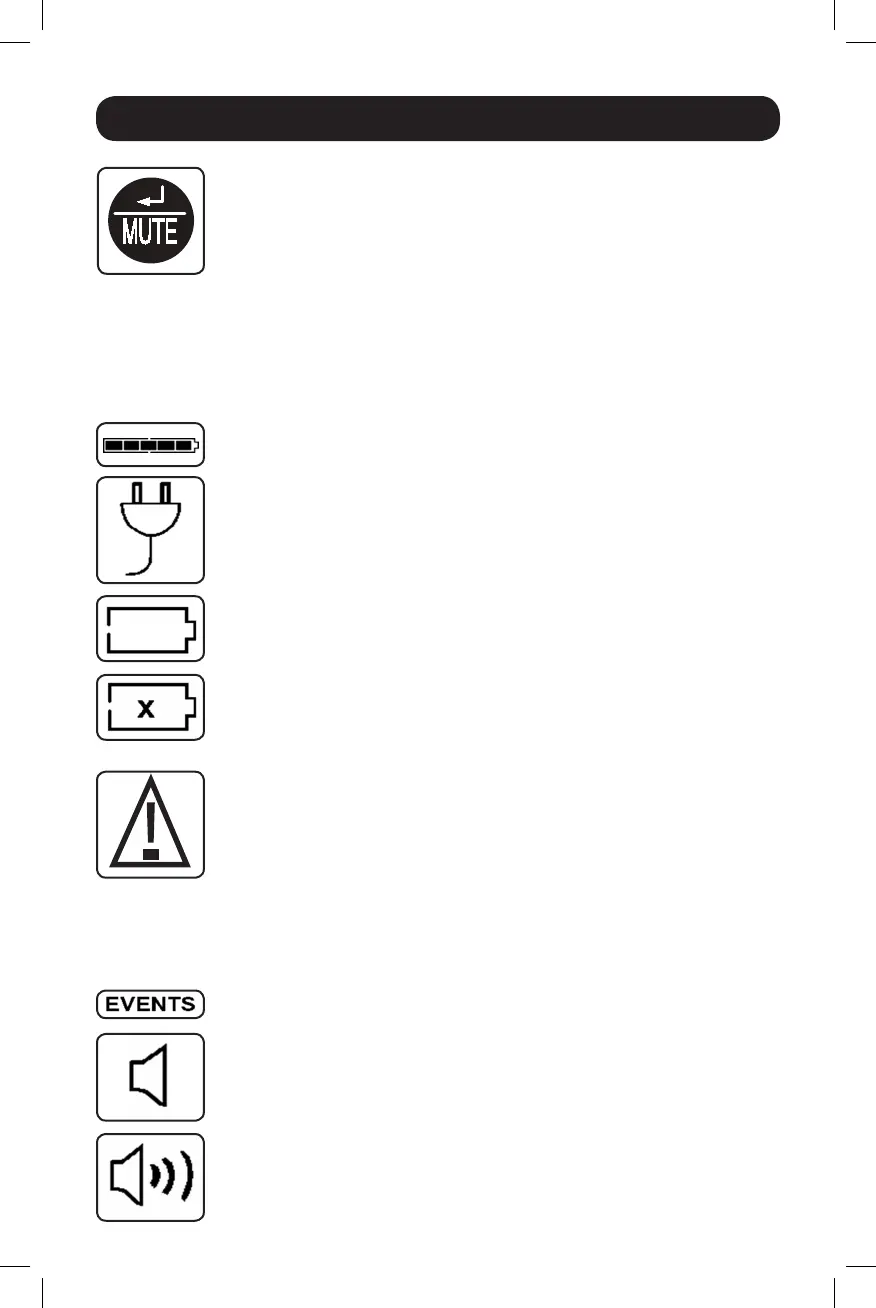
“ENTER/MUTE” Button
To toggle settings options while viewing a control menu option, tap this button.
TheUPSpowerfailurealarmcanalsobetemporarilysilencedbytappingthis
button.Oncesilenced,analarmwillautomaticallyre-soundtoindicatelow
battery conditions and can no longer be silenced.
•CanbeusedinconjunctionwiththeON/OFFbuttontocancelthe“OFF”
function.See“ON/OFFButton”instructionsabove.
•CanbeusedinconjunctionwiththeENTER/MUTEbuttontorestoretheLCD
toFactoryMode.See“ON/OFFButton”instructions.
Note: Alarm-free silent operation is available by setting the alarm to disable
(see CONTROL MENU OPTIONS / ALARM ENABLE-DISABLE section).
Battery Capacity:Thiswillbeactiveinall“Display”modes,butisnotshown
in “Control” modes.
AC Input: This indicates that the unit is running in Line Mode and supplying AC
powertoequipmentconnectedtotheoutput.
Battery Input:ThiswillflashtoindicatethattheUPSisnotreceivingACinput
andisrunningininvertermode.TheBatteryInputiconisalsousedin
conjunctionwiththeEVENTSicontoindicateOnBatteryevents.
Replace Battery Icon: IntheeventthatUPSbatteriesexpireandrequire
replacement, this icon and the warning icon will flash. This icon will also flash
afterafailedUPSself-test(seetheBASICOPERATION/CONTROLMENU
OPTIONS/SELF-TESTsectionformoreinformation).
Warning: This will flash to let the user know that there’s a warning condition
and immediate action must be taken:
1.ForReplaceBattery:ReplaceBatteryandWarningiconsflashduringany
normal“Display”mode.
2.ForOverload:Load,WarningandLoadPercentageiconswillflash,thealarm
willsoundrepeatedlyandtheLCDscreenwillswitchfromtheuser-selected
displaymodetoLoadPercentage.OverloadindicationisavailableinbothAC
andbatterymodes.CAUTION!Anyoverloadconditionthatisnotcorrectedby
theuserimmediatelymaycausetheUPStoshutdownandceasesupplying
power in the event of a blackout or brownout.
EVENTS Icon:DisplayedinconjunctionwiththeAVRiconandBATTiconsto
indicatethenumberofOnBatteryorAVReventsthathaveoccurred.
Alarm Off:Indicatesthatthealarmisdisabled.
Alarm On: Indicatesthatthealarmisenabled.
14-03-028-93-3088.indb 10 3/20/2014 4:08:44 PM




 To Next Page