19
5B
7
6
5A
8
4 x screws
4 x screws
Battery Replacement
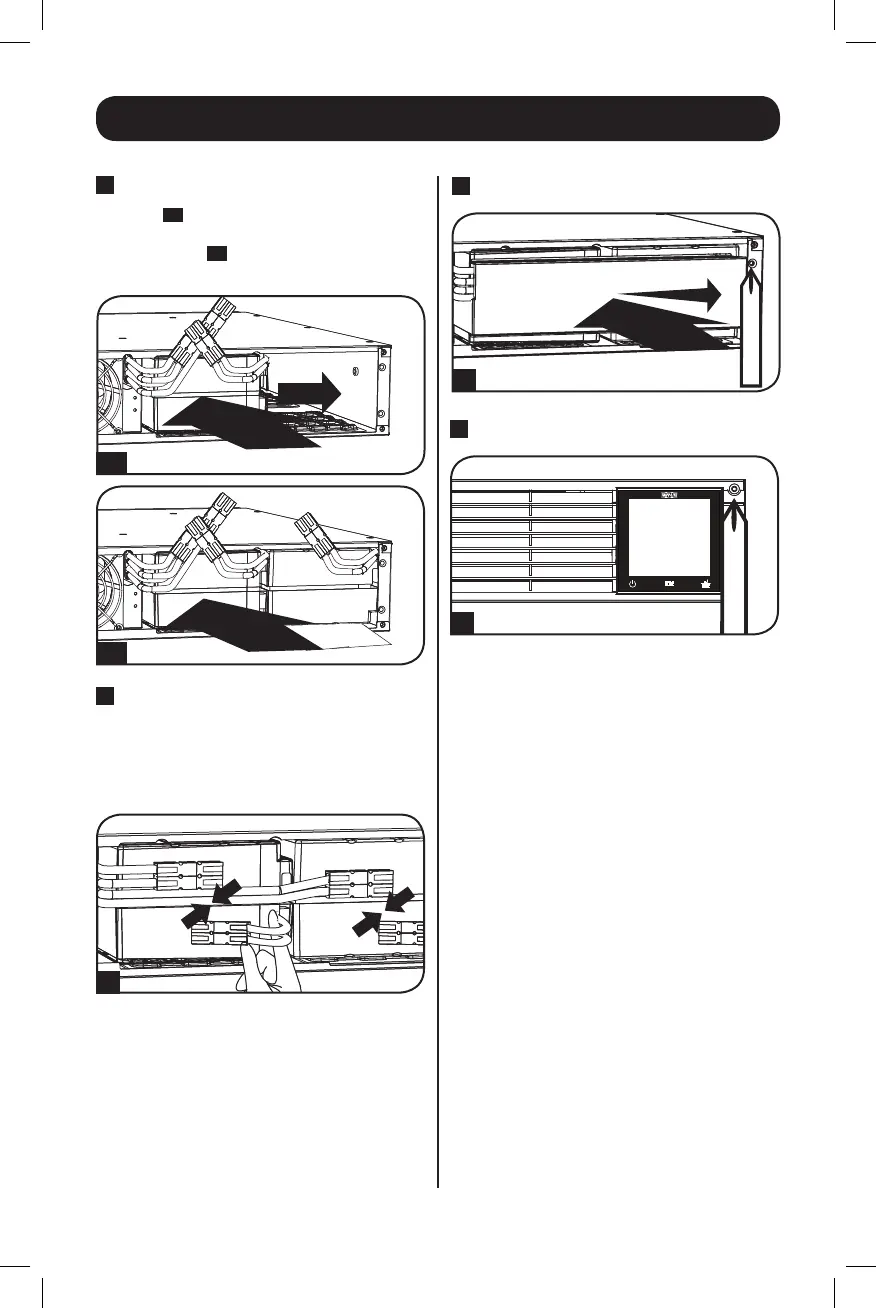
5
Add New Batteries
First,
5A
install the right row of batteries by
inserting them and sliding them to the
right. Then,
5B
install the left row of
batteries.
6
Connect Batteries
Attach both sets of connectors as shown:
black-to-blackandred-to-red.
Always ensure that the battery
terminals are properly secured.
7
Replace Battery Retention Plate
8
Replace Front Panel
14-03-028-93-3088.indb 19 3/20/2014 4:08:58 PM




 To Next Page