38
Information Tray
Warning
When the motorcycle is in motion, only
attempt to switch between the
information tray modes or reset the
fuel information under the following
conditions:
- At low speed
- In traffic free areas
- On straight and level roads or
surfaces
- In good road and weather conditions.
Failure to observe this important
warning could lead to loss of motorcycle
control and an accident.
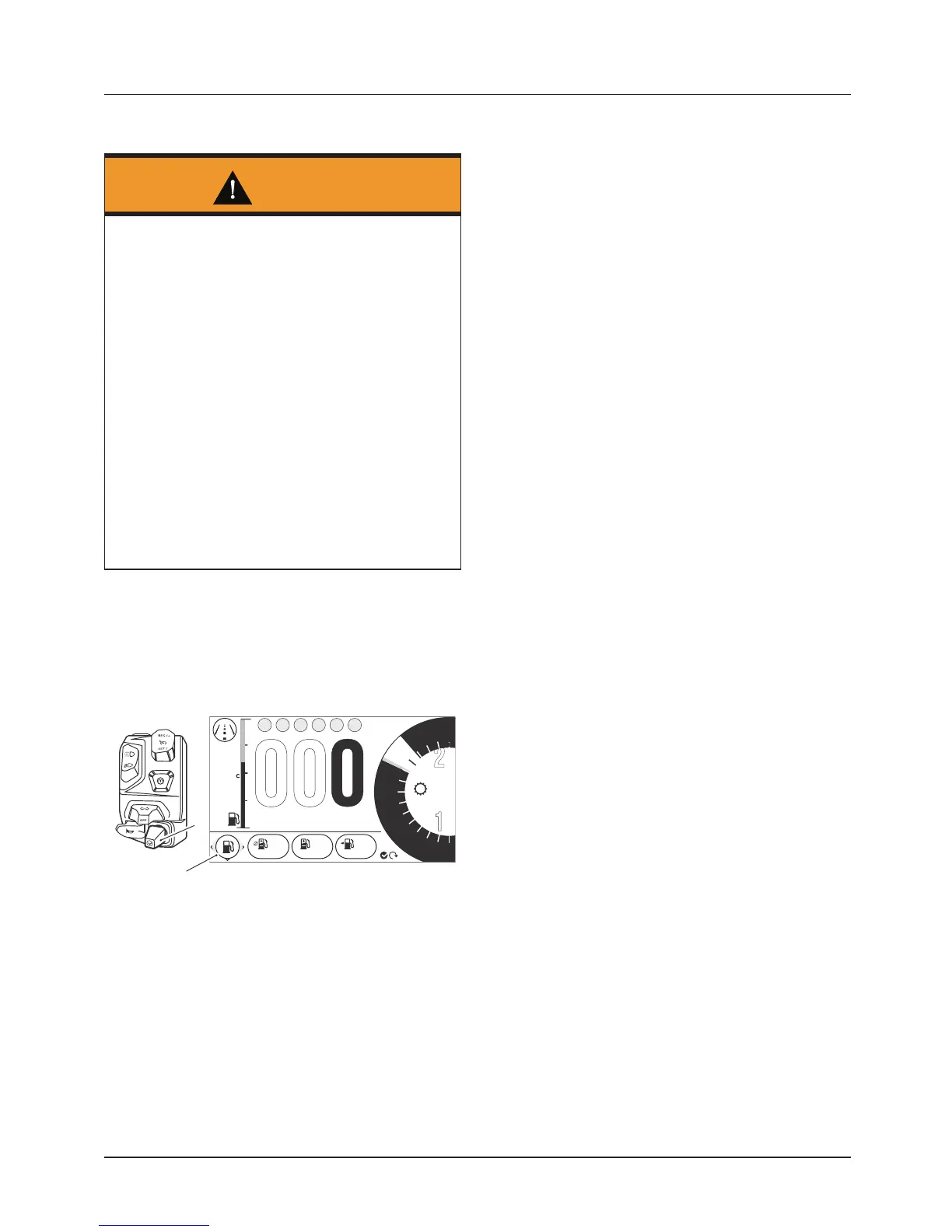
The information tray appears at the
bottom of the display screen and allows
easy access to different motorcycle
status information.
07:29
17.5
8
6
N
4
2
1
1. Joystick control
2. Information tray
To view the different information tray
items, push the joystick left/right until
the required information tray item is
shown.
Note:
• To access the information tray, the
warning messages must first be
acknowledged, see page 39.
The information tray contains the
following information tray items:
• Warnings and Information Messages,
see page 39
• Trip Meter, see page 39
• Fuel Information, see page 40
• Tire Pressure Monitoring System
(TPMS) (if equipped), see page 40
• Odometer, see page 41
• Service Interval Announcement, see
page 41
• Screen Contrast, see page 41
• Style Options, see page 42
• Coolant Temperature, see page 42
Different information tray items can be
shown or hidden from the information
tray. For further information, refer to
page 52.








 To Next Page