50
Display Set Up Menu
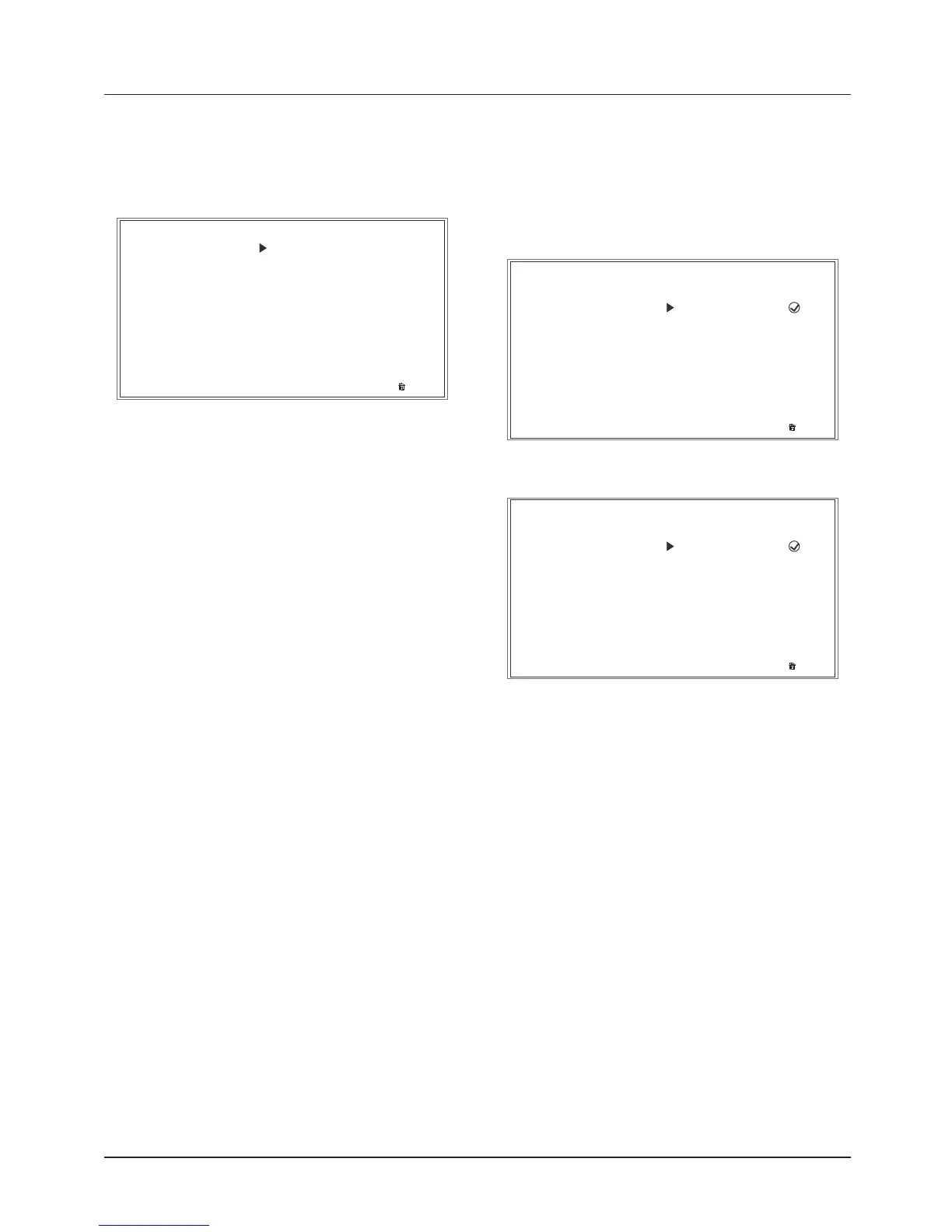
The Display Set Up menu allows
configuration of the different display
screen options.
EXIT
DISPLAY SETUP
LANGUAGE
UNITS
THEME
BRIGHTNESS (High Contrast)
CLOCK
BRIGHTNESS (Low Contrast)
VISIBLE TRAY
DATE
MAIN MENU
RIDING MODES
BIKE SETUP
TRIP SETUP
DISPLAY SETUP
RESET TO DEFAULTS
To access the Display Set Up menu:
• Press the HOME button to display
the Main menu.
• Push the joystick down and then
press the joystick center to select
DISPLAY SET UP.
The following options are available:
• Styles and Themes
• Brightness
• Visible Tray
• Shift Indicator
• Language
• Set Units
• Set Clock
• Set Date.
Display Set Up - Themes and Styles
Note:
• Themes are only available on
Tiger 800 XRT and Tiger 800 XCA.
EXIT
THEME
THEME 1
THEME 2
THEME 1
AUTO
STYLE 1
STYLE 2
STYLE 3
Theme and Style Menu Example
EXIT
STYLE
DISPLAY SETUP
AUTO
STYLE 1
STYLE
STYLE 2
STYLE 3
Style Menu Example







 To Next Page