72
To adjust or edit the home screen items:
• Press and release the SCROLL
button until the required item is
selected.
• Press and release the SELECT
button to access the selected
item’s sub menu or adjustment
screen.
• Press and hold the SELECT button
to access the Settings menu. For
more information, see page 74.
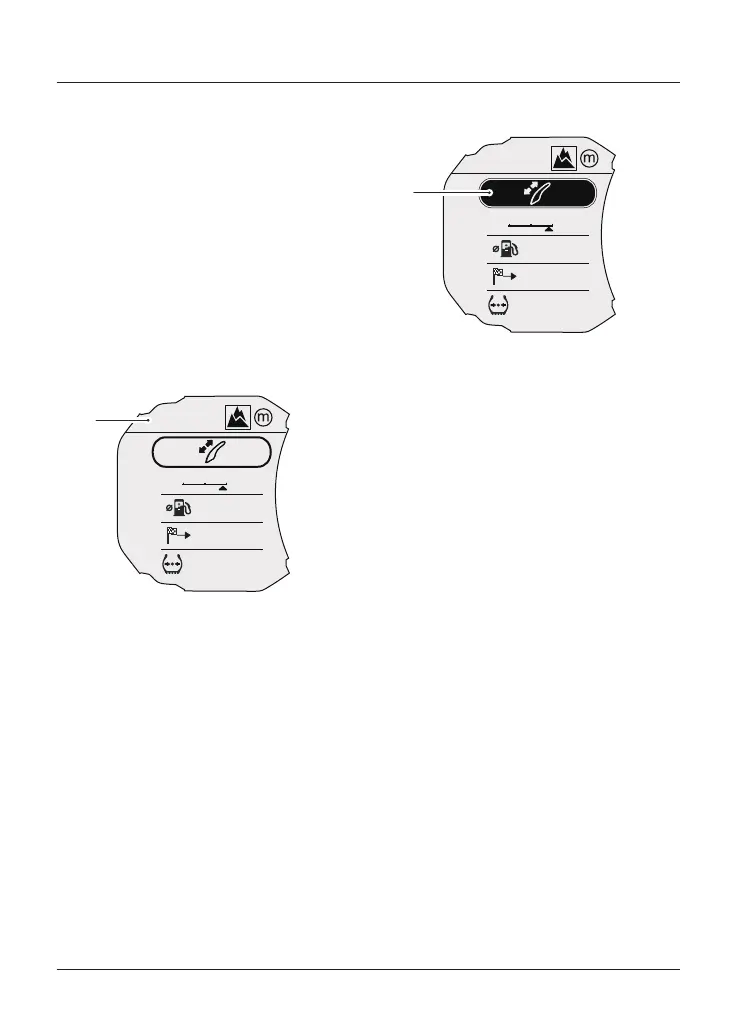
Riding Mode Display
OFF-ROAD
AUTO
OFF-ROAD
MPG
MI
PSI
PSI
CNS
1
2
36
42
F
R
47
12
1
1. Current riding mode display
Shows the current riding mode. For
more information on riding modes, see
page 81.
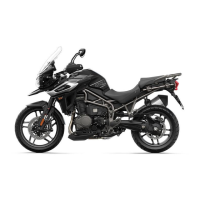
Windshield Adjustment Mode
OFF-ROAD
AUTO
OFF-ROAD
MPG
MI
PSI
PSI
CNS
1
2
36
42
F
R
47
12
1
1. Windshield adjustment mode
To access the windshield adjustment
mode:
• Press the SCROLL button until the
windshield adjust display is
selected.
• Press the SELECT button to
activate the windshield adjustment
mode.
• Use the SCROLL button to adjust
the windshield to the required
height.
• There is a short time-out period to
allow for further adjustment to
take place before the instruments
automatically exit the windshield
adjustment mode.
• Alternatively, press the SELECT
button to exit the windshield
adjustment mode.
For more information on windshield
adjustment, see page 118.







 To Next Page