P. 41
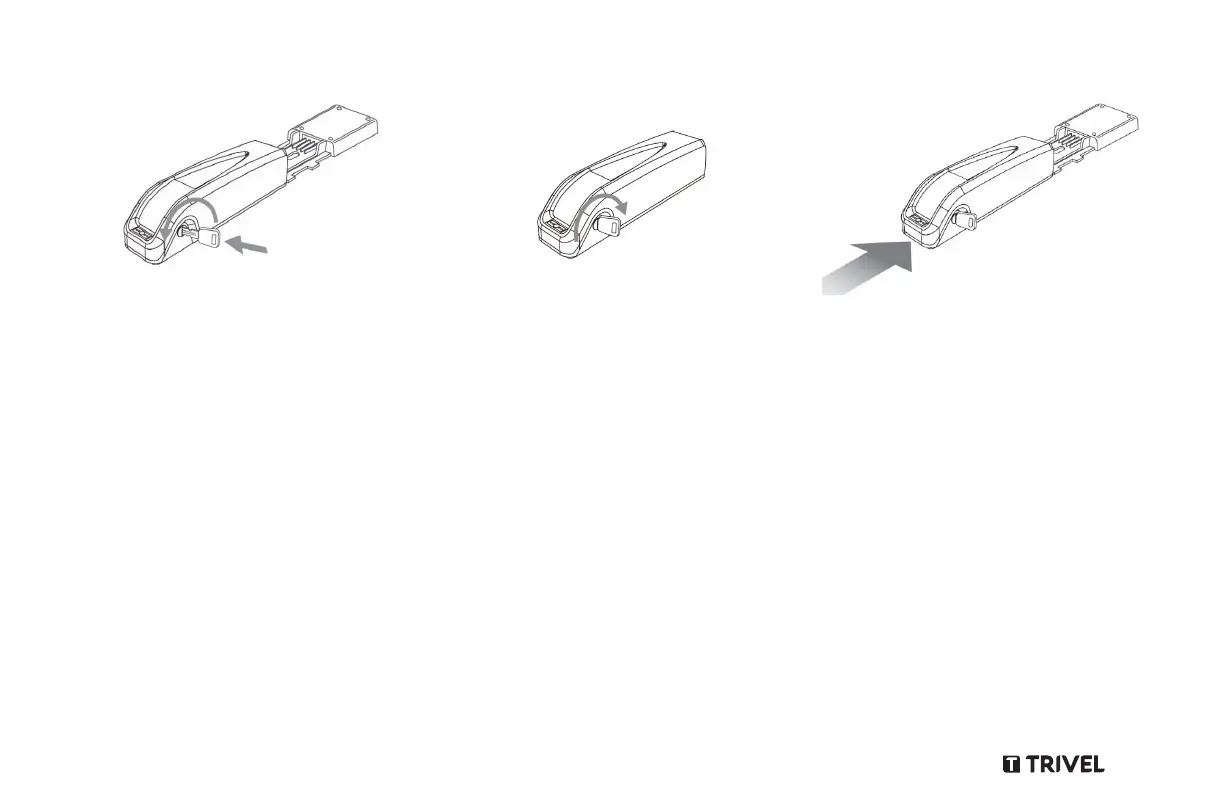
1. Insert the key into the battery’s lock.
2.
Turn the key a half turn, counter-
clockwise (to the left) to unlock the
battery.
3.
Inspect the battery mounting bracket
to ensure there’s no water or dirt
accumulation on the contacts.
4. Carefully align and firmly push the
5.
battery along the mounting
bracket towards its stopper.
6. Turn the key a half turn, clockwise (to
the right) to lock the battery in position.
To Insert the battery:



 To Next Page