P. 40 — User manual V3
Removing or inserting the battery
Remove the battery from the frame for
charging or for longer term storage.
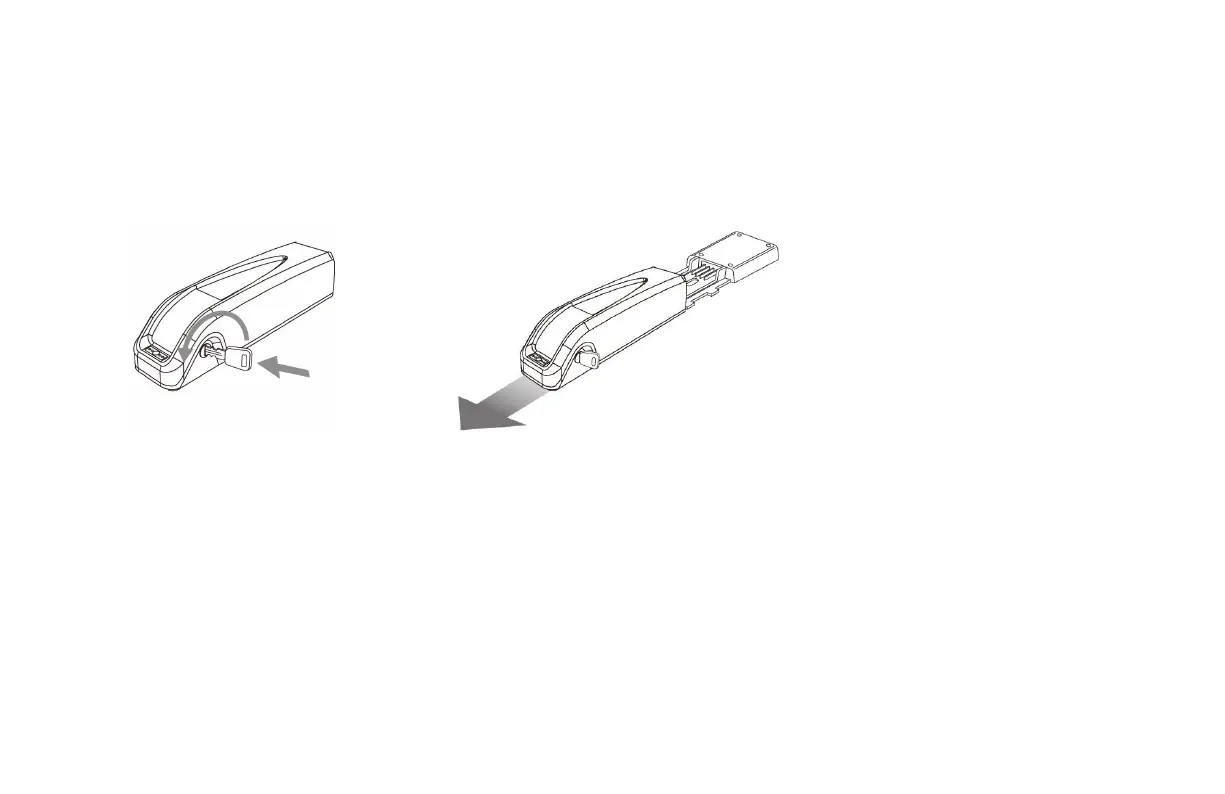
To remove the battery:
1. Insert the key into the battery’s lock.
2.
Turn the key a half turn,
counterclockwise (to the left) to unlock
the battery.
3.
Firmly and carefully pull back on the
battery along the battery mounting
bracket.



 To Next Page