Night Vision Settings
The NC-213W, NC-213WF, NC-217W, NC-217WF, NC-218W, NC-218WF, NC-316W, NC-316WF have several settings
to adjust your preferred night vision setup.
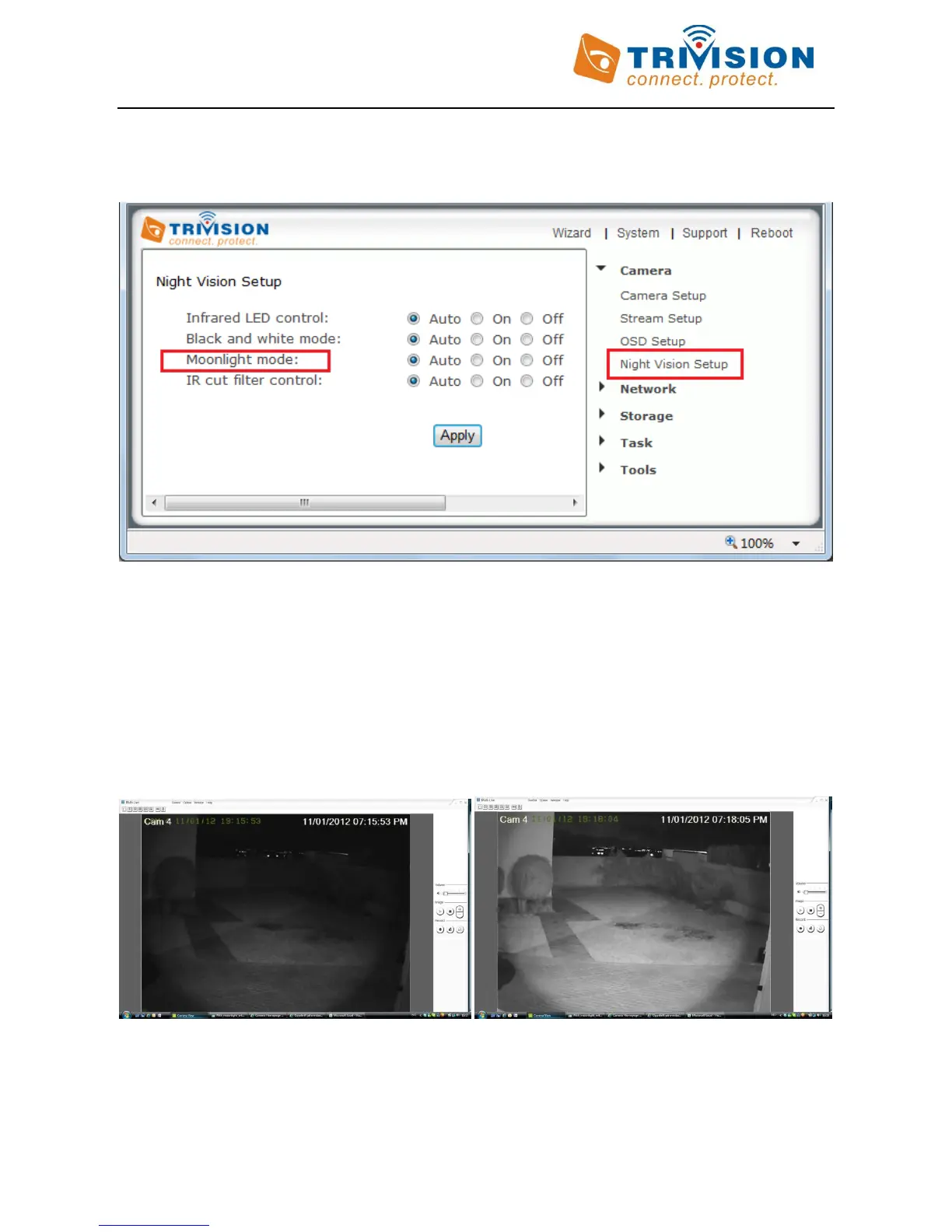
1. The” Infrared LED control” can be set to “On”, “off”, and “Automatic” which uses the light sensor on the front
of the camera to check ambient light level to turn on the IR LEDs at night. The sensor is below the lens.
2. Similarly, “Black & White Mode” can be “On”, “Off”, or “Auto”. The default setting is “Auto” so that you have
the highest sensitivity at night. In many environments you have better picture quality as well as color night
vision with ambient light if you set this setting to “Off”, so you may want to try it.
3. “Moonlight mode” boosts the available light by reducing the frame rate to 7.5 fps. It can be set to “On”, “Off”,
and “Automatic”. This uses the light sensor to turn on moonlight mode only at night. When “Moonlight model”
is “auto” or “On”, the cameras produce gorgeous night vision, especially the outdoor serials.
With LED and Moonlight mode “OFF” With LED and Moonlight mode “ON” or “Auto”
If you are using the cameras to look through a window, you should set the night vision mode on the NC-107W to
turn off the IR LEDs and instead turn on the automatic moonlight mode. Otherwise the IR LEDs would reflect off
the window glass and the glare would make everything almost invisible.



 To Next Page