Resetting the Camera back to Factory Settings
If you ever forget your admin password or have any other reason to reset the camera to its factory settings, please
use the following procedure:
1. Make sure the camera is powered up
2. For indoor cameras insert the tip of a paper clip in the hole at the side of the camera to press the reset switch.
You’ll feel the click when the switch engages. For outdoor cameras it is easier to use the software reset
function in the “Backup or Reset” menu. If hardware reset is needed, see the Micro SD card chapter for
location of the reset switch.
3. Hold the switch down for at least 5 seconds, then let go. You’ll see the power light go off for a few seconds.
This indicates reset is in progress.
A few seconds later the camera will restart and is now at factory settings. Of course, after reset the user name and
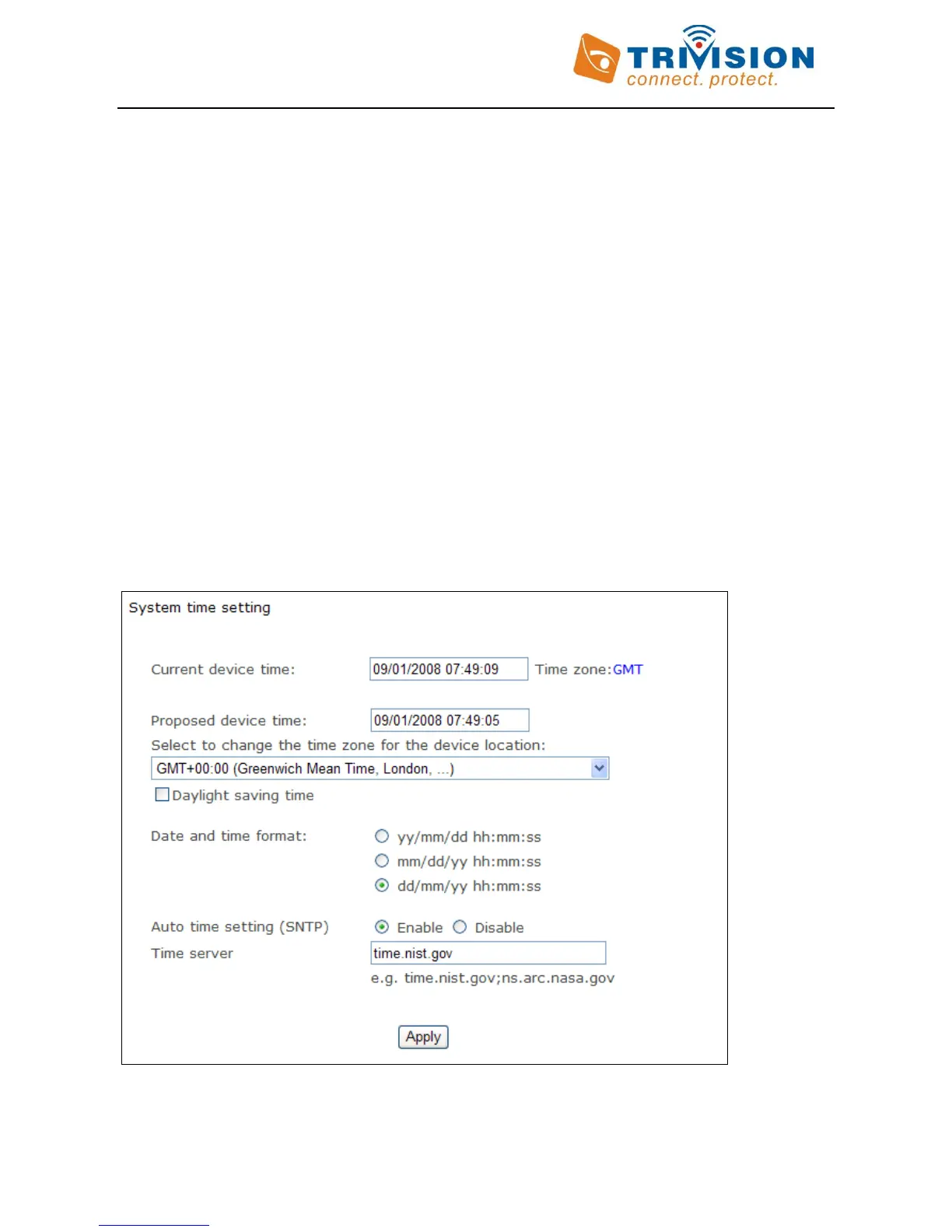
password will both be “admin” again (Without quotes). And you may need to set current time zone as shown
below.
Setting the time and Time Zone
After a full reset you may want to make sure the correct time and time is set. This can be done automatically if the
camera has internet access and the setting is enabled as shown below:



 To Next Page