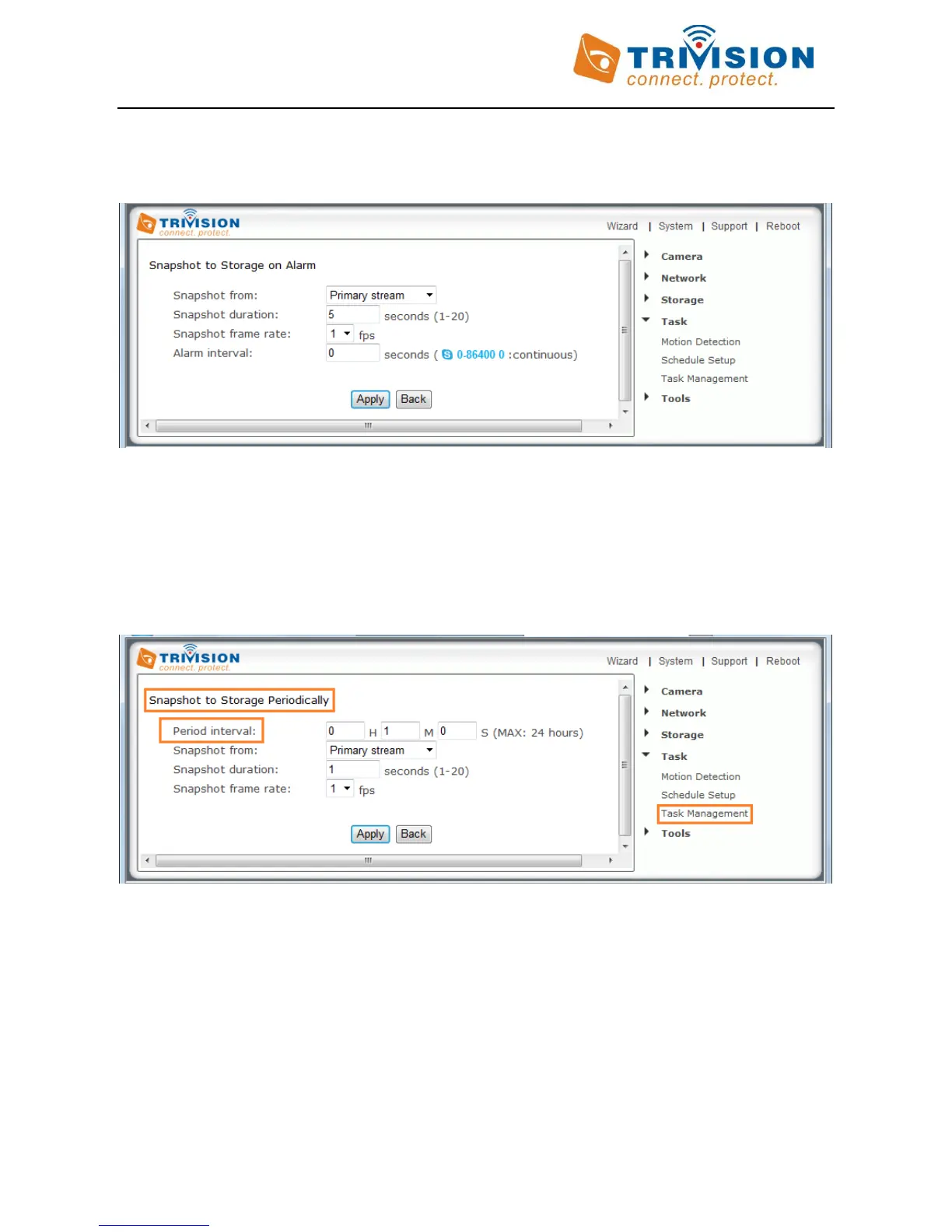
After finishing the setting on “Storage“ and Micro-SD card or NAS is ready. You can use motion detection to initiate
the snapshots to Micro SD card or NAS (Snapshot to storage on Alarm). Click on “snapshot to storage on alarm”
tab under “Task management” menu.
The “Alarm Interval” allows you to designate a time (in seconds) during which new pictures are suppressed. For
example, if you want to avoid a flood of pictures, you could set this time to 3600 seconds so that after a motion
detection event you wouldn’t get any new pictures for at least 1 hour.
Instead of using motion detection (Snapshot to Storage on Alarm), you can also use the “Snapshot to storage
periodically” menu to take snapshots at regular time intervals (Snapshot to Storage Periodically)
The “Period Interval” allow you to designate a time (in seconds or minutes or hours) during which new snapshots
are suppressed. For example, if you want to avoid a flood of snapshots, you could set this time to 60 minutes so
that you wouldn’t get any new snapshots for 1 hour.



 To Next Page