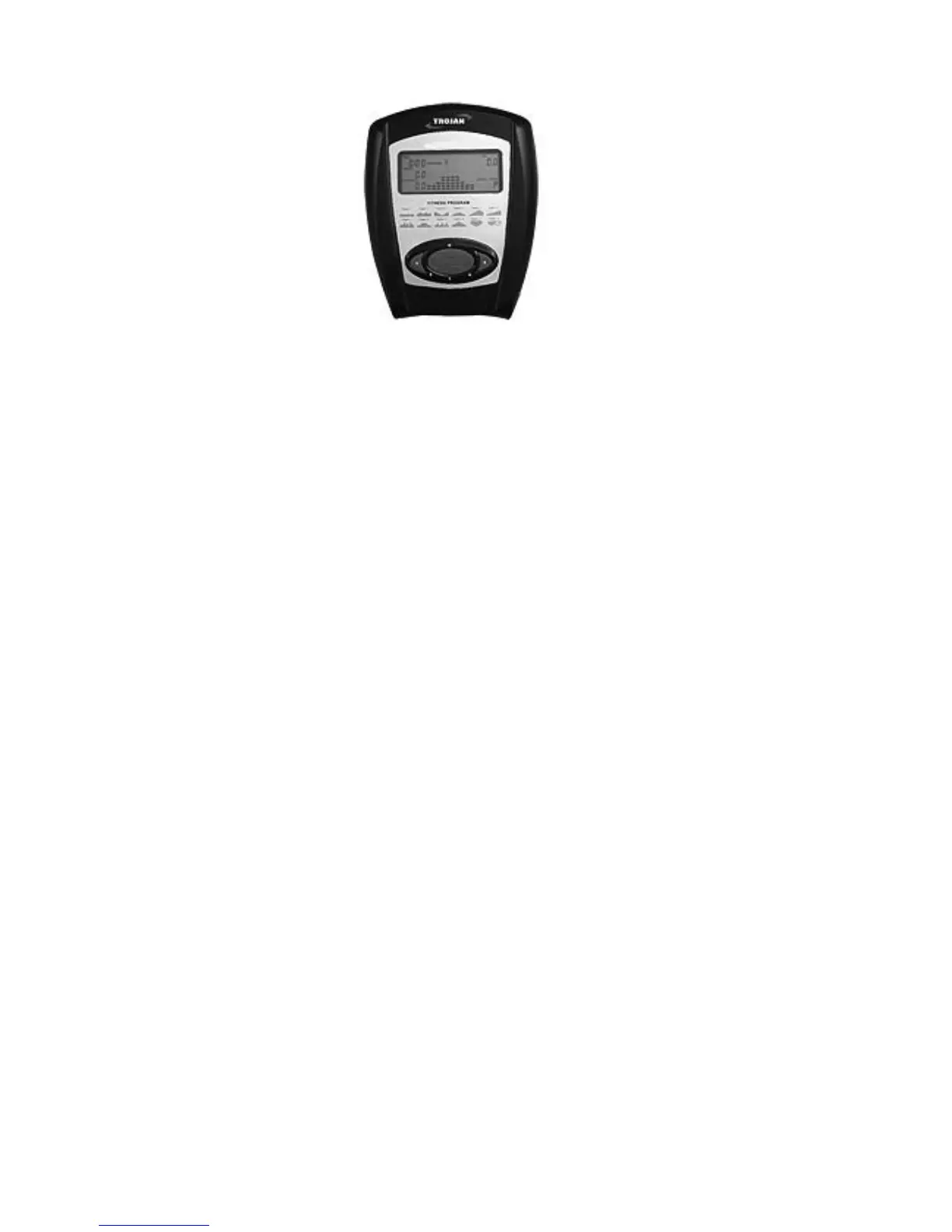
5. COMPUTER FUNCTIONS
7 DISPLAY FUNCTIONS:
TIME: Displaystheexercisetime00:00-99:59(Countup)or99.59-00:00(Countdown).
SPEED: Displaysthecurrentspeedinkph(0.00-99.9KPH/MPH).
RPM: Displays the number of pedal revolutions per minute.
DISTANCE: Displays the distance covered (0.00-99.9 Kilometers /Miles).
CALORIES: Displays the calories burnt off (0.0-999.9-K.cal).
WATT: Displays the resistance level.
HEART RATE: Displays heart rate in beats per minute.
When entering your AGE, the limits are set at 1-99 years
OPERATING PROCEDURES
Whenthepowerisrstswitchedon,theLCDwindowwillbeilluminatedfor2secondsandtheExercise
Monitor’s CPU will set the resistance level to Level 1. The system is now in Initial Mode.
DATA INPUT KEYS
UP: Use to select a program or increase the resistance level, time or age.
DOWN: Use to select a program or decrease the resistance level, time or age.
ENTER: InInitialMode,pressthe“ENTER”keytoenterTimeorAgesettings.
MODE: InInitialMode,pressthe“MODE”keytoselectSpeed/RPMandCalorie/Wattmodes.
START/PAUSE: Usetostartorstopexercising.Holdingthisbuttonfor3secondswillresetallvaluestozero
andreturntheExerciseMonitortoitsstandbypower-onmode.
RESET: Toerasethedatavaluestozero.
Note:Thecomputerwillshutoffautomaticallyafterfourminutesofinactivity.Allfunctionvalueswillbekept.PushtheMODE
buttonandholditdownforthreesecondstoresetallfunctionstozero.
BATTERY INSTALLATION:
Theconsolrequires4AAbatteries(Alkalinebatteriesarerecommended).Pressthetabonthebatterycoverand
removeit.Insert4batteriesintotheconsol.Makesurethatthebatteriesareorientedasshowninthediagramonthebatterycover.
Then, re-attach the battery cover.



 To Next Page