EasyManua.ls Logo

Trojan Glide Cycle 500 - User Manual

Trojan Glide Cycle 500
24 pages
Print Icon
To Next Page IconTo Next Page
Loading...
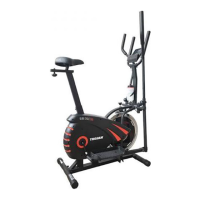
GLIDE CYCLE 500
ELLIPITCAL
7 KG
FLYWHEEL
CARDIO
USER MANUAL
Visit facebook.com/trojanhealth
www.trojanhealth.co.za
CAUTION
READ ALL PRECAUTIONS AND
INSTRUCTIONS IN THIS MANUAL
BEFORE USING THIS EQUIPMENT.
KEEP THIS MANUAL FOR
FUTURE REFERENCE.
Question and Answer IconNeed help?

Do you have a question about the Trojan Glide Cycle 500 and is the answer not in the manual?

Summary

Important Safety Instructions

Health Warnings

Consult physician before exercise, stop if faint, warm-up/cool-down.

Installation Guidelines

Secure on level surface, ensure space, ventilation, and moisture-free environment.

Proper Usage Guidelines

Use as intended, avoid improper/excessive exercise, one person at a time, maintain balance.

Access Control

Use in a supervised area and keep children away from equipment.

Inspection and Maintenance

Check for damage, use genuine parts, tighten bolts, maintain labels.

Operating Warnings

Instruct users, keep children away from moving parts, avoid loose clothing.

User Weight Limitations

Maximum user weight is 110 kg.

Pre Assembly Check List

Hardware & Tools List

Assembly Instructions

Check hardware packaging to ensure all parts are included before assembly.

Parts List

Exploded Drawing

Assembly Steps

Preparation

Ensure adequate space, use supplied parts, check exploded drawing.

Step 1: Front and Rear Stabilisers

Install bottom tubes to main frame with bolts, washers, and nuts.

Step 2: Spindle Bar

Insert handle bar shaft and pedal hinge bolts, secure with hardware.

Step 3: Pedals

Attach pedals to pedal tubes using bolts and nylon nuts.

Step 4: Handlebar

Insert handle bars, adjust height, and secure with knobs and end caps.

Step 5: Saddle

Insert and secure vertical seat post; slide and fix seat post at desired height.

Step 6: Handlebar Post

Lock spile, install handlebar post, attach plastic insert with computer middle line.

Step 7: Computer

Attach handlebar to support tube, connect wires, fix computer, attach bottle holder.

Computer Functions

Specifications

Lists TIME, SPEED, and DISTANCE ranges for the computer.

Function Button Operations

Explains the MODE, AUTO ON/OFF, RESET, and PRESET functions.

Functions and Operations

Details SCAN, TIME, SPEED, DISTANCE, and BATTERY display.

Exercise Instructions

Warm-up Phase

Prepares the body for exercise by increasing blood flow and reducing injury risk.

Exercise Phase

Describes starting and moving positions for elliptical cycling.

Muscle Toning

Increase resistance for toning; adjust program for fitness improvement.

Weight Loss

Effort and duration are key factors for burning calories and achieving weight loss.

Maintenance

Cleaning

Clean with a soft cloth and mild detergent; wipe perspiration after each use.

Storage

Store the elliptical in a clean, dry environment away from children.

Troubleshooting

No Display on Computer

Verify wire connections, check battery position and contact, replace batteries if dead.

Squeaking Noise

Inspect for loose bolts and tighten them as necessary to resolve squeaking.

Fitness Tips & Techniques

Aerobic Exercise

Sustained activity that improves lung and heart fitness using large muscles.

Weight Training

Essential for toning, building, and strengthening muscles.

Muscle Chart

Highlights major muscle groups worked by the elliptical machine.

Conditioning Guidelines

Exercise Intensity

Maintain target heart rate (65-85% max) for effective aerobic exercise.

Warm Up & Cool Down

Workout Guidelines

Each workout includes warm-up, training zone exercise, and cool-down periods.

Exercise Frequency

Plan three to five workouts weekly with rest days for optimal conditioning.

Suggested Stretches

Details five basic stretches for flexibility and injury prevention.

2 Year Limited Warranty

Exclusions

Warranty excludes damage from disaster, misuse, commercial use, or unauthorized modifications.

Proof of Purchase

Claims require a proof of purchase or warranty number for validation.

Repairs Procedure

Cost of Repairs

Details repair costs for items under and out of warranty.

Under Warranty Repairs

Free repairs for covered defects; consumer pays for non-covered items.

Out of Warranty Repairs

All repairs are at the consumer's expense, including call-out fees.

Summary

Important Safety Instructions

Health Warnings

Consult physician before exercise, stop if faint, warm-up/cool-down.

Installation Guidelines

Secure on level surface, ensure space, ventilation, and moisture-free environment.

Proper Usage Guidelines

Use as intended, avoid improper/excessive exercise, one person at a time, maintain balance.

Access Control

Use in a supervised area and keep children away from equipment.

Inspection and Maintenance

Check for damage, use genuine parts, tighten bolts, maintain labels.

Operating Warnings

Instruct users, keep children away from moving parts, avoid loose clothing.

User Weight Limitations

Maximum user weight is 110 kg.

Pre Assembly Check List

Hardware & Tools List

Assembly Instructions

Check hardware packaging to ensure all parts are included before assembly.

Parts List

Exploded Drawing

Assembly Steps

Preparation

Ensure adequate space, use supplied parts, check exploded drawing.

Step 1: Front and Rear Stabilisers

Install bottom tubes to main frame with bolts, washers, and nuts.

Step 2: Spindle Bar

Insert handle bar shaft and pedal hinge bolts, secure with hardware.

Step 3: Pedals

Attach pedals to pedal tubes using bolts and nylon nuts.

Step 4: Handlebar

Insert handle bars, adjust height, and secure with knobs and end caps.

Step 5: Saddle

Insert and secure vertical seat post; slide and fix seat post at desired height.

Step 6: Handlebar Post

Lock spile, install handlebar post, attach plastic insert with computer middle line.

Step 7: Computer

Attach handlebar to support tube, connect wires, fix computer, attach bottle holder.

Computer Functions

Specifications

Lists TIME, SPEED, and DISTANCE ranges for the computer.

Function Button Operations

Explains the MODE, AUTO ON/OFF, RESET, and PRESET functions.

Functions and Operations

Details SCAN, TIME, SPEED, DISTANCE, and BATTERY display.

Exercise Instructions

Warm-up Phase

Prepares the body for exercise by increasing blood flow and reducing injury risk.

Exercise Phase

Describes starting and moving positions for elliptical cycling.

Muscle Toning

Increase resistance for toning; adjust program for fitness improvement.

Weight Loss

Effort and duration are key factors for burning calories and achieving weight loss.

Maintenance

Cleaning

Clean with a soft cloth and mild detergent; wipe perspiration after each use.

Storage

Store the elliptical in a clean, dry environment away from children.

Troubleshooting

No Display on Computer

Verify wire connections, check battery position and contact, replace batteries if dead.

Squeaking Noise

Inspect for loose bolts and tighten them as necessary to resolve squeaking.

Fitness Tips & Techniques

Aerobic Exercise

Sustained activity that improves lung and heart fitness using large muscles.

Weight Training

Essential for toning, building, and strengthening muscles.

Muscle Chart

Highlights major muscle groups worked by the elliptical machine.

Conditioning Guidelines

Exercise Intensity

Maintain target heart rate (65-85% max) for effective aerobic exercise.

Warm Up & Cool Down

Workout Guidelines

Each workout includes warm-up, training zone exercise, and cool-down periods.

Exercise Frequency

Plan three to five workouts weekly with rest days for optimal conditioning.

Suggested Stretches

Details five basic stretches for flexibility and injury prevention.

2 Year Limited Warranty

Exclusions

Warranty excludes damage from disaster, misuse, commercial use, or unauthorized modifications.

Proof of Purchase

Claims require a proof of purchase or warranty number for validation.

Repairs Procedure

Cost of Repairs

Details repair costs for items under and out of warranty.

Under Warranty Repairs

Free repairs for covered defects; consumer pays for non-covered items.

Out of Warranty Repairs

All repairs are at the consumer's expense, including call-out fees.

Trojan Glide Cycle 500 Specifications

General IconGeneral
BrandTrojan
ModelGlide Cycle 500
CategoryElliptical Trainer
LanguageEnglish

Related product manuals