ASSEMbLY STEPS
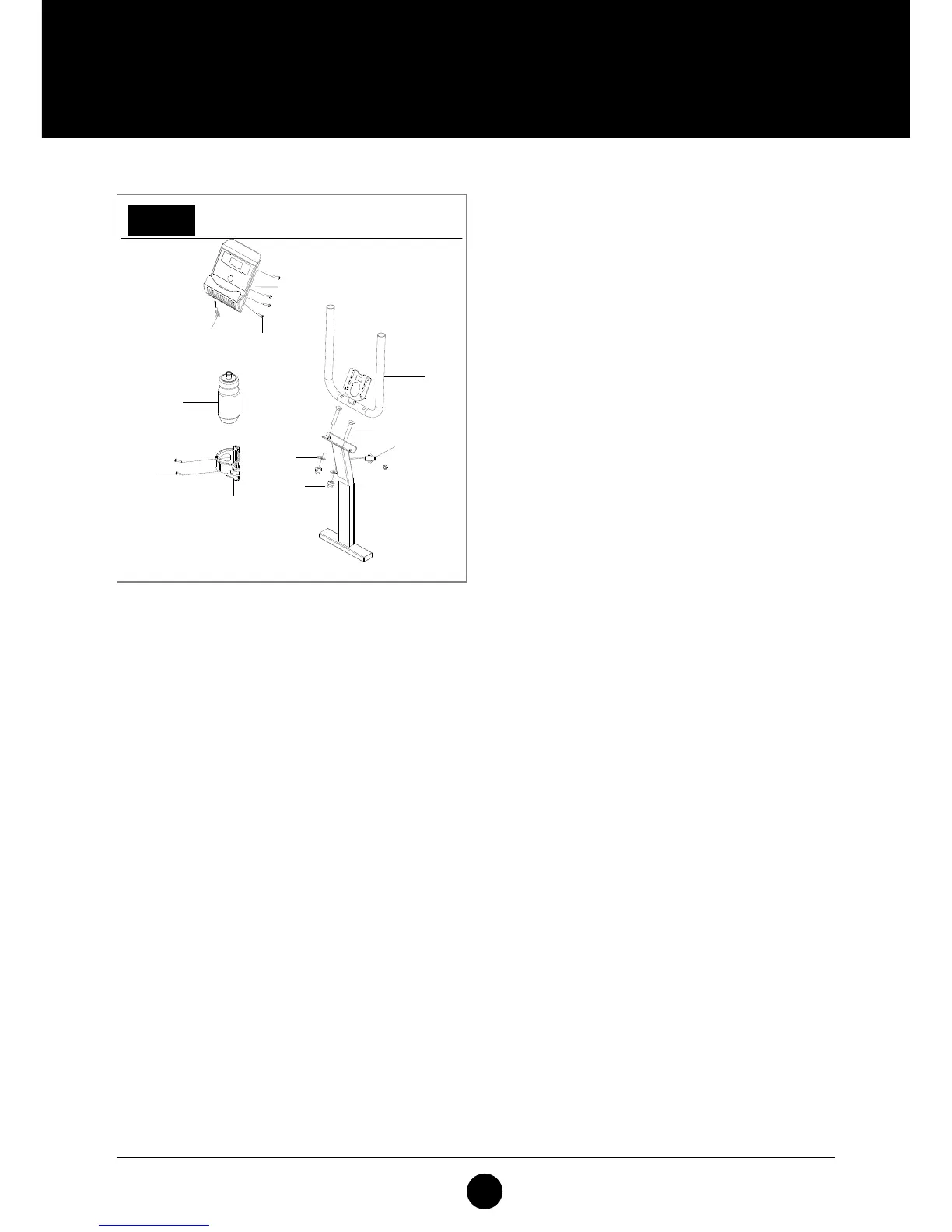
STEP 7: COMPUTER
Attach the Handlebar (100) to the Support Tube
(79) with Screws (10), Washer (21) and Nut (40).
Connect the Sensor Wire and then attach the
Computer (50) to the Handlebar (100) with the Bolt
(83).
Connect Middle Wire (75) and Plastic Insert (26),
then connect Sensor Wire (37). Fix the Computer
(50) onto the Handlebar (100). Attach the Bottle
Holder (98) to the Support Tube (79) with Pan Bolt
(99).
STEP 7



 To Next Page