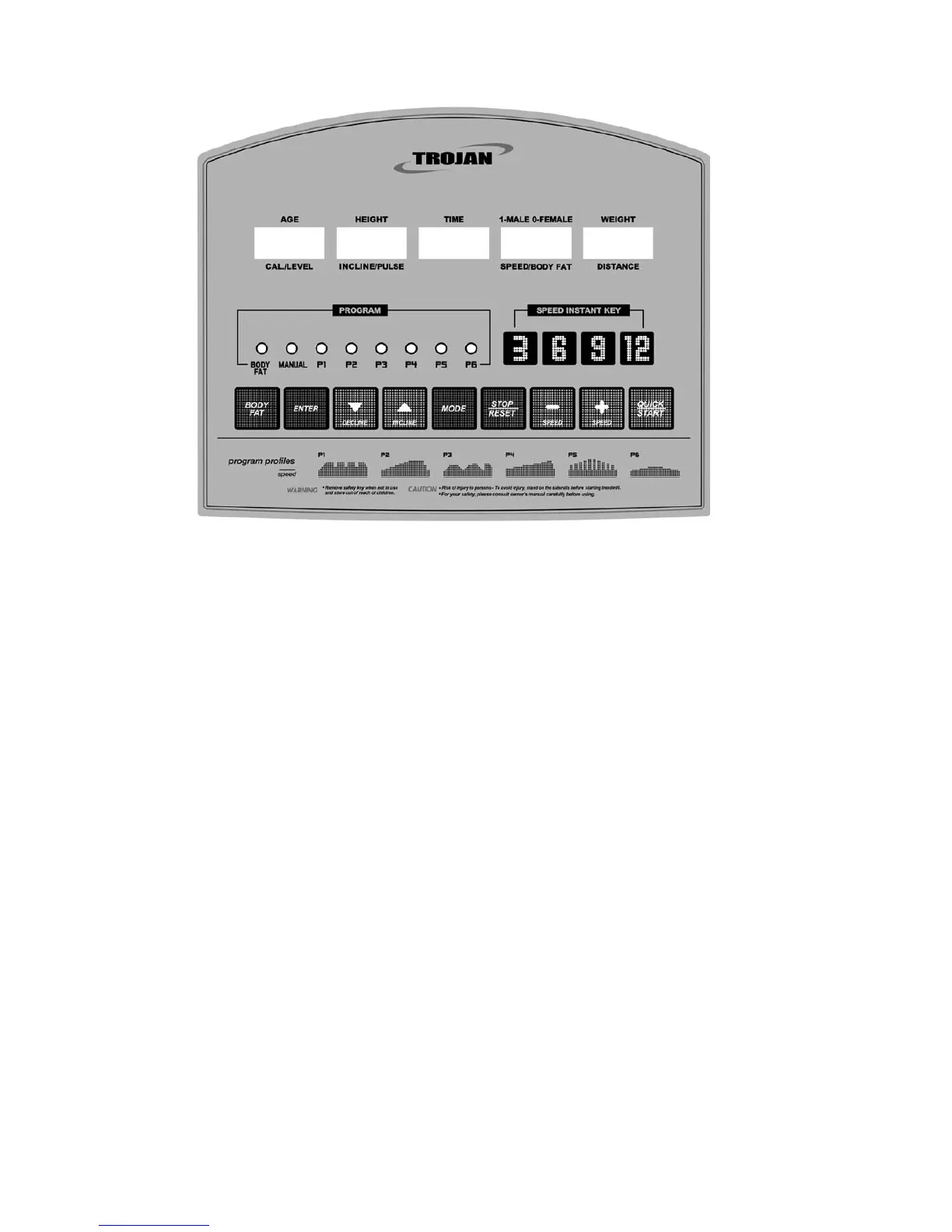
8. COMPUTER FUNCTIONS
GETTING STARTED
1. Turn on the treadmill, using the switch located at the back of the treadmill.
2. Put the safety key in the recess of the consol.
3. A beep will sound and all windows will display values. These initial values are 0, and are not flashing, which means the
treadmill is in the START/READY mode. In the START/READY mode the user can hold the grip pulse sensor to
detect a heart rate reading.
Note:
** If safety key is not in place in the recess of the consol, the TIME window will display “----“.
The treadmill can not be operated without the safety key in place.
** During work out, if the safely key is pulled off, the beeper will sound a warning, then the treadmill will come to a stop.
If this happens put the safety key back in the recess of consol. The consol will activate and display all the initial set
up values.
** Under the START/READY condition, if you did not hold the grip pulse sensors, the PULSE window will display HP.
As soon as you hold both of the grip pulse sensors, the PULSE window will display the heart rate values.
** The PULSE value range is 40~240 Beats/min









 To Next Page