ID5000, XR5000 Level 1 Service Manual
Issue 4, 8/2017 36
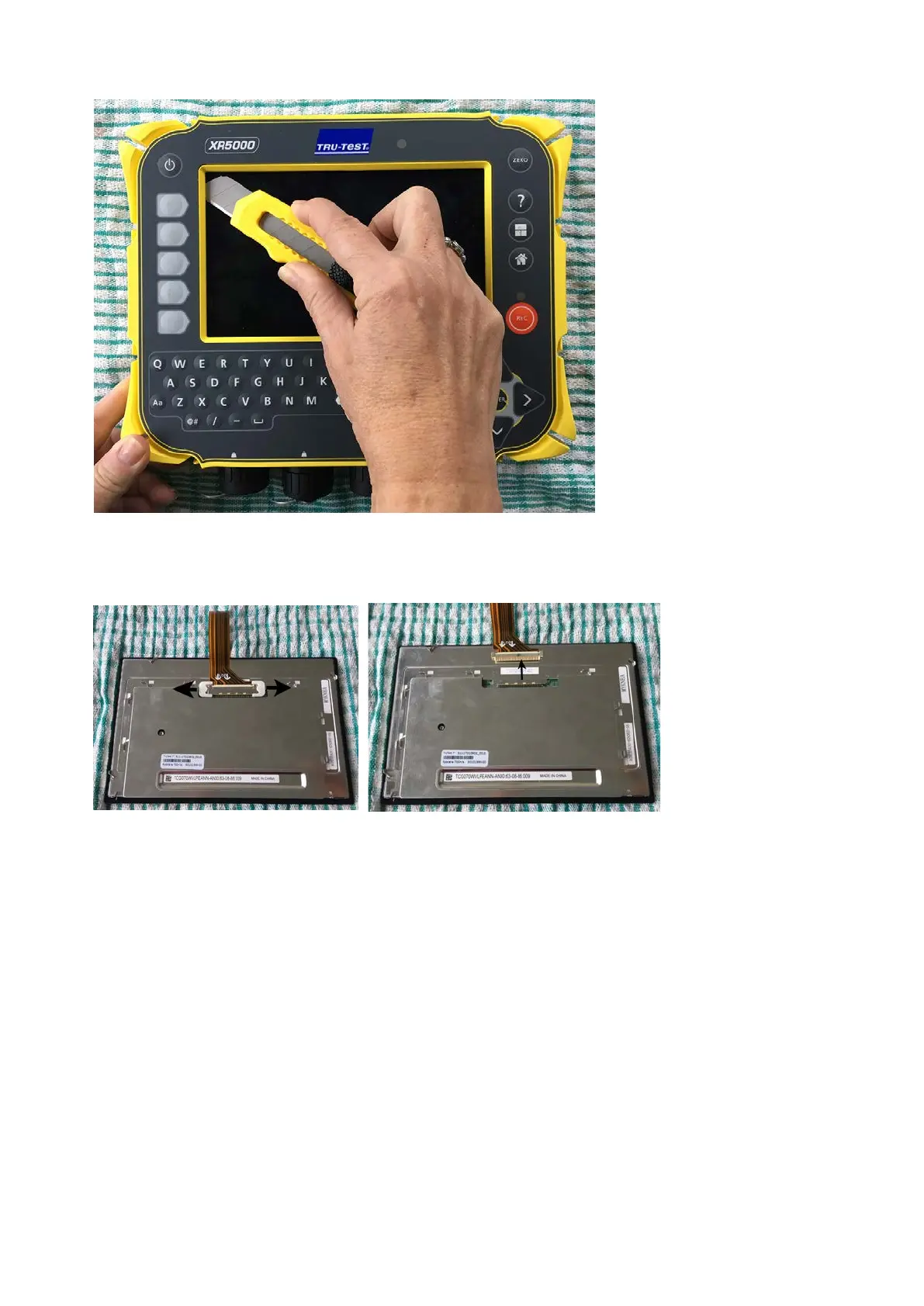
Figure 21: Using a craft knife
to separate the LCD from the
case front
5 Lift up the case front to expose the LCD on the work surface.
6 In the case front, remove all traces of the sticky rectangular gasket using the craft knife and IPA.
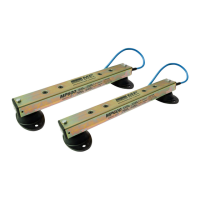
7 Turn the LCD over. Remove the two LCD connector clips, then disconnect the other end of the LCD FPC from the LCD.
Figure 22: Removing the LCD
connector clips and
disconnecting the LCD FPC


 To Next Page