ID5000, XR5000 Level 1 Service Manual
Issue 4, 8/2017 30
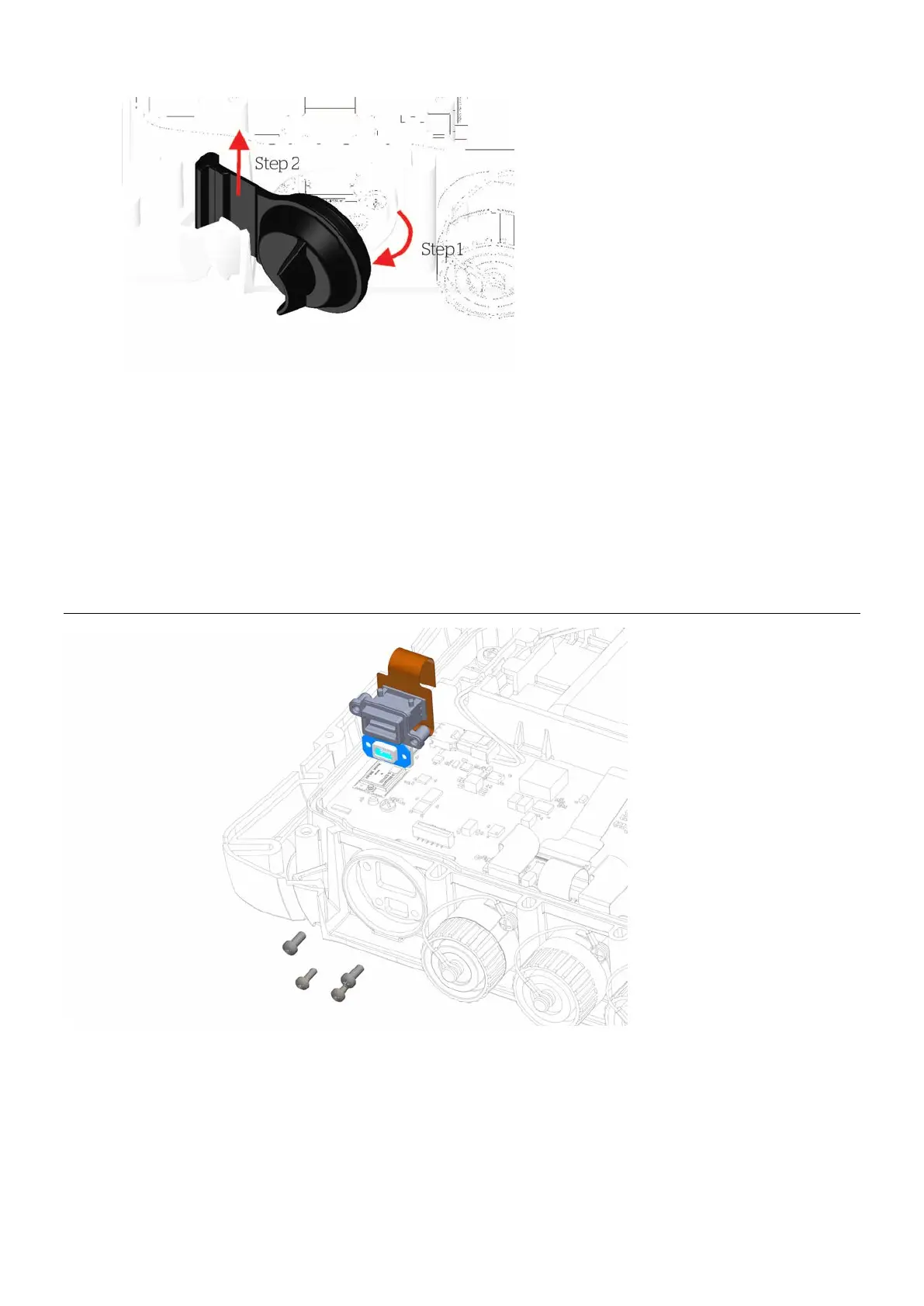
Figure 13: USB dust cap removal
Refitting the USB dust cap
1 Place the USB dust cap in the dovetail groove (Reverse of Step 2 - See
Figure 13
)
2 Push the cap closed (Reverse of Step 1 - See
Figure 13
)
3 Refit the case
back (see page 25).
4 Refit the rubber corner bumpers (see page 23).
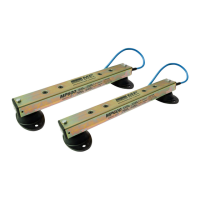
Replacing the USB connectors
Figure 14: USB connectors
assembly



 To Next Page