Truetness.com / 800.426.6570 / 636.272.7100
CHAPTER 2: ASSEMBLY GUIDE
24 of 50
ASSEMBLY STEPS:
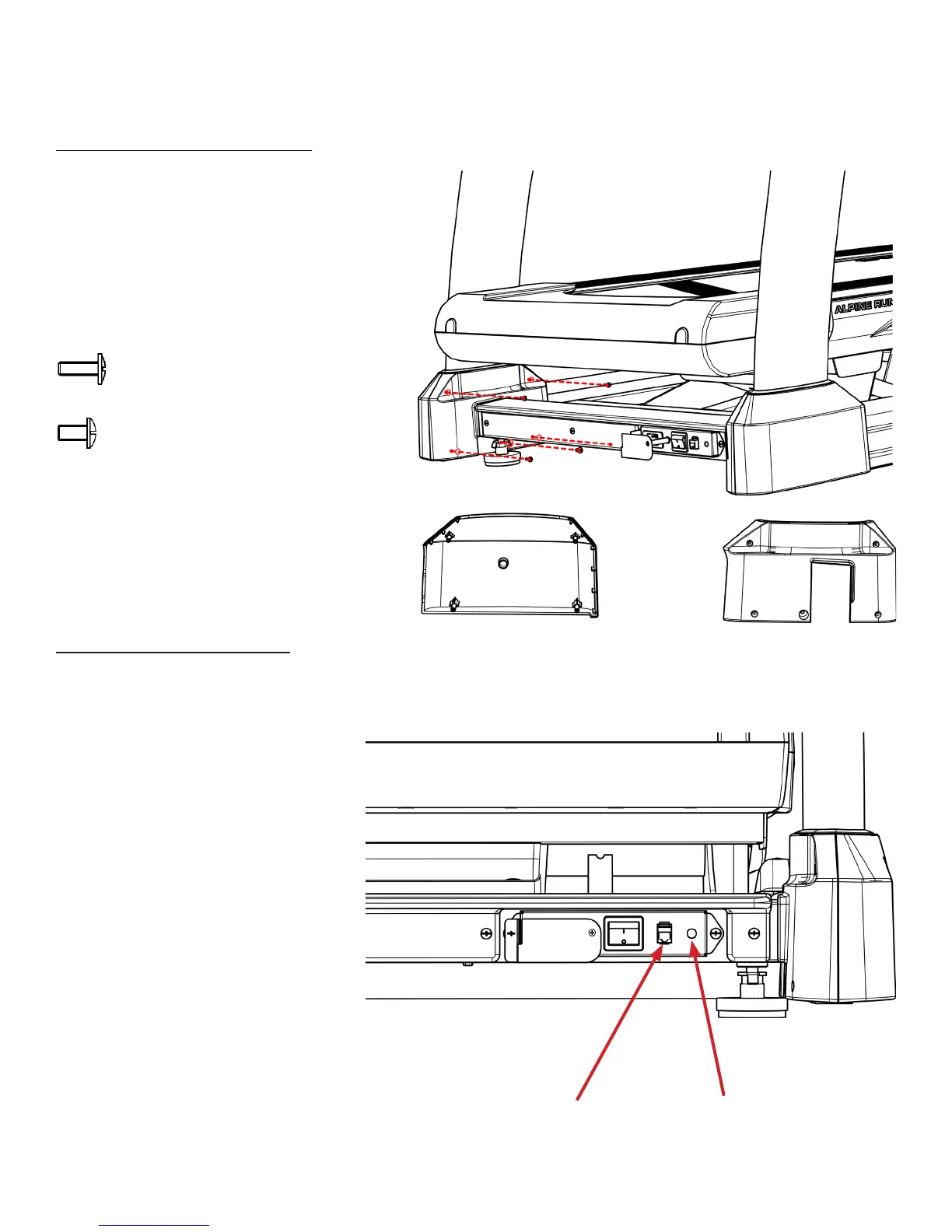
Step 18 Pedestal Base Covers:
Step 19 Final Connections:
a) Install each Pedestal Base Cover using ve
screws as shown.
b) Slide the black pedestal cover rings down
and press rmly into the Pedestal Base
Covers.
Hardware Required:
8 M4xP0.7x12mm Screws
2 M5xP0.8x10 Screws
a) Connect the Ethernet Cable
(optional).
b) Connect the Coaxial Cable
(optional).
Ethernet Cable Coaxial Cable



 To Next Page