CHAPTER 4A: TRANSCEND
OPERATION
Truefitness.com / 800.426.6570 / 636.272.7100 42
TOUCHSCREEN NAVIGATION (continued):
Switching Between Workout View Screens:
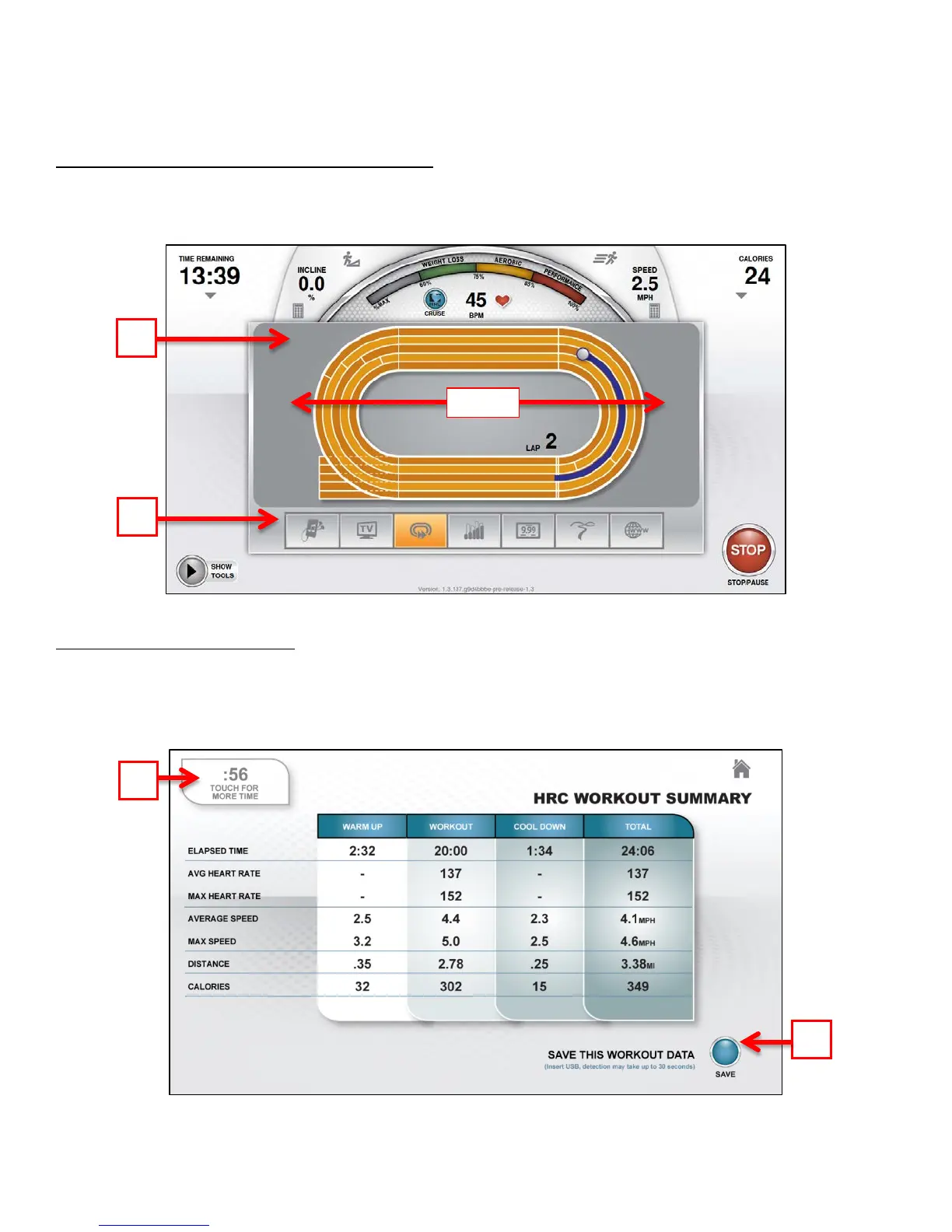
There are several Workout Data Screens available to choose from. To switch between screens the user can touch the
selection button (A) for the specific Workout Data Screen they wish to use or simply swipe their finger across the main
display window (B) to scroll through the available screens.
Workout Summary Screen:
At the end of a workout the Summary Screen will display an overview of the workout data. The workout data can be
exported to a USB drive by inserting the USB drive into the console’s USB port and touching the Save button (A). If the
user requires more time to view the summary or to save the workout to a USB device, they can touch the timer (B) to
extend the time that the summary remains on the screen.



 To Next Page