CHAPTER 4A: TRANSCEND
OPERATION
Truefitness.com / 800.426.6570 / 636.272.7100 55
ADVANCED CONSOLE FUNCTIONS (continued):
Setup Menu - Facility Images:
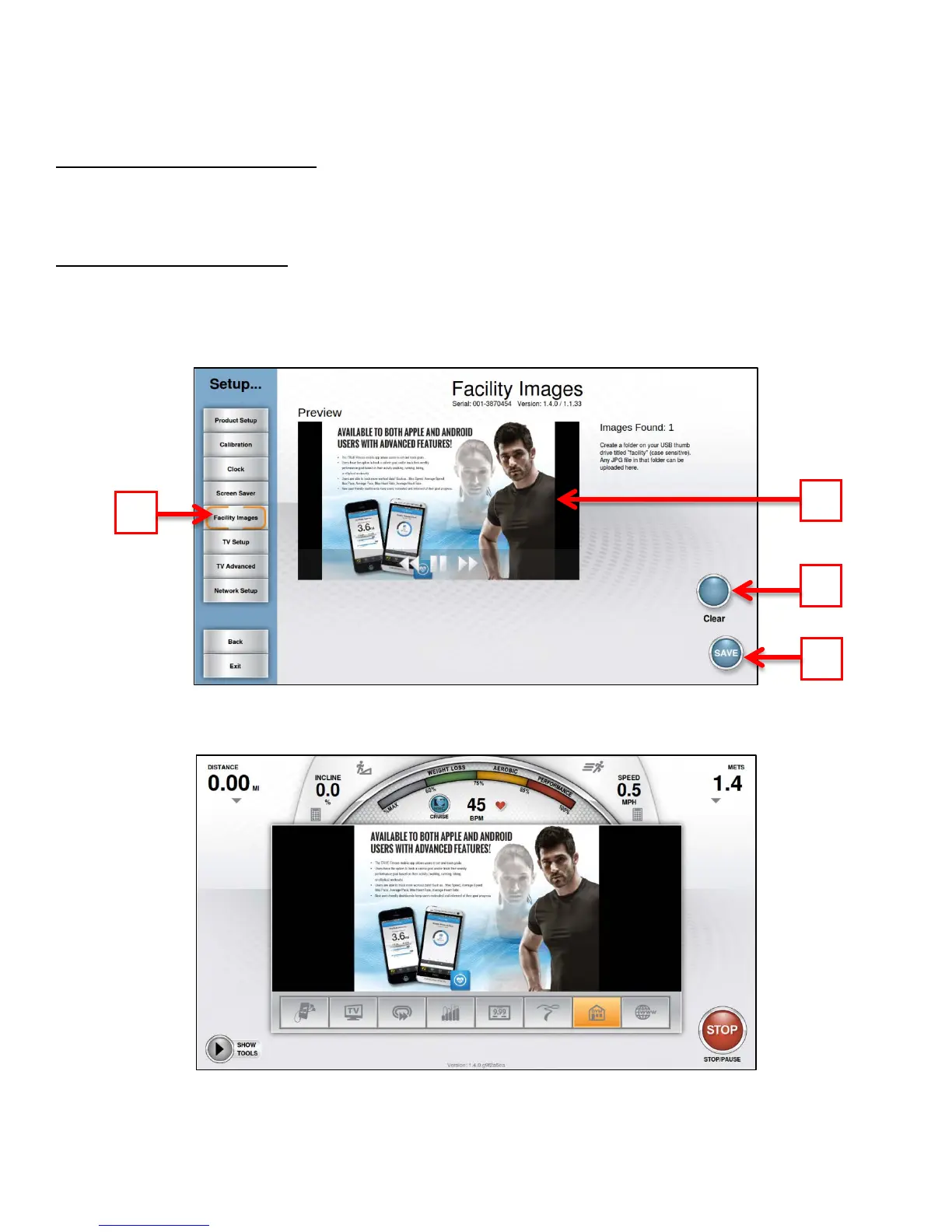
The Transcend console supports customizable facility images to help promote specials, events or endorse a brand. In order
to be uploaded to the console, images will need to be placed on a USB drive in a folder named “facility” (case sensitive).
Importing Facility Images:
• Touch the Facility Images button (A)
• Insert the USB drive that contains the images into the console’s USB port.
• Verify the images in the preview window (B)
• Touch the Save button (C) to save the images to the console.
* Facility images can be deleted by touching the clear button (D).
Once loaded correctly, the facility Images will be displayed in the Facility Workout Data Screen (as shown below).



 To Next Page