CHAPTER 4A: TRANSCEND
OPERATION
Truefitness.com / 800.426.6570 / 636.272.7100 59
ADVANCED CONSOLE FUNCTIONS (continued):
Setup Menu - TV Advanced (continued):
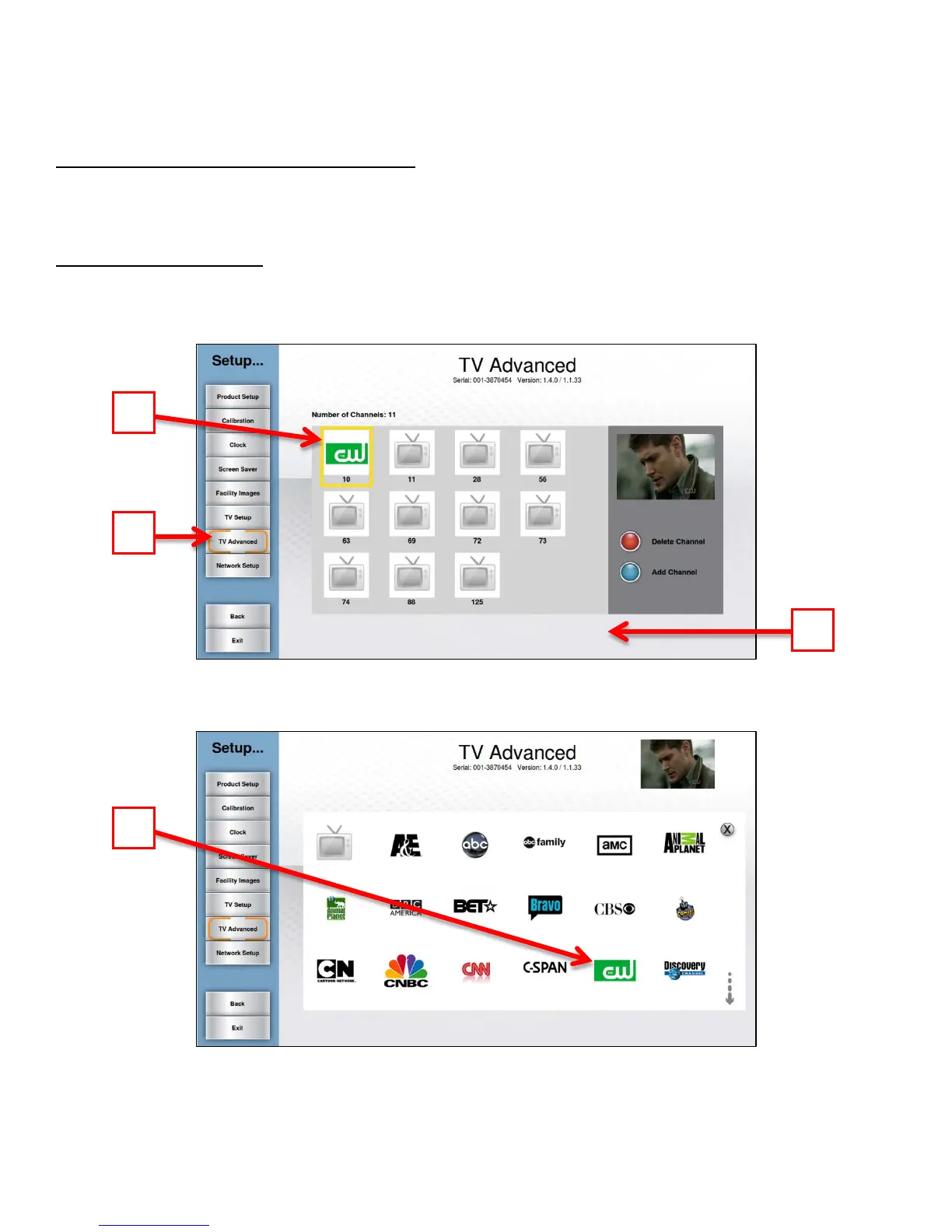
Using Channel logos allows users to quickly identify and select their favorite TV channels with minimal interruption to
their workout.
Adding Channel Logos:
• Navigate to the TV Advanced Screen (A).
• Touch the desired channel in the Channel List (B)to select it
• Touch the channel again to enter the logo screen.
• Touch the logo (C) that corresponds to the selected channel.
• Repeat these steps for each channel for which a logo is available.



 To Next Page