truefitness.com / 800.426.6570 / 1.636.272.7100
17
Chapter 3: Display Console
15” touchscreen Sample Screens - data displays
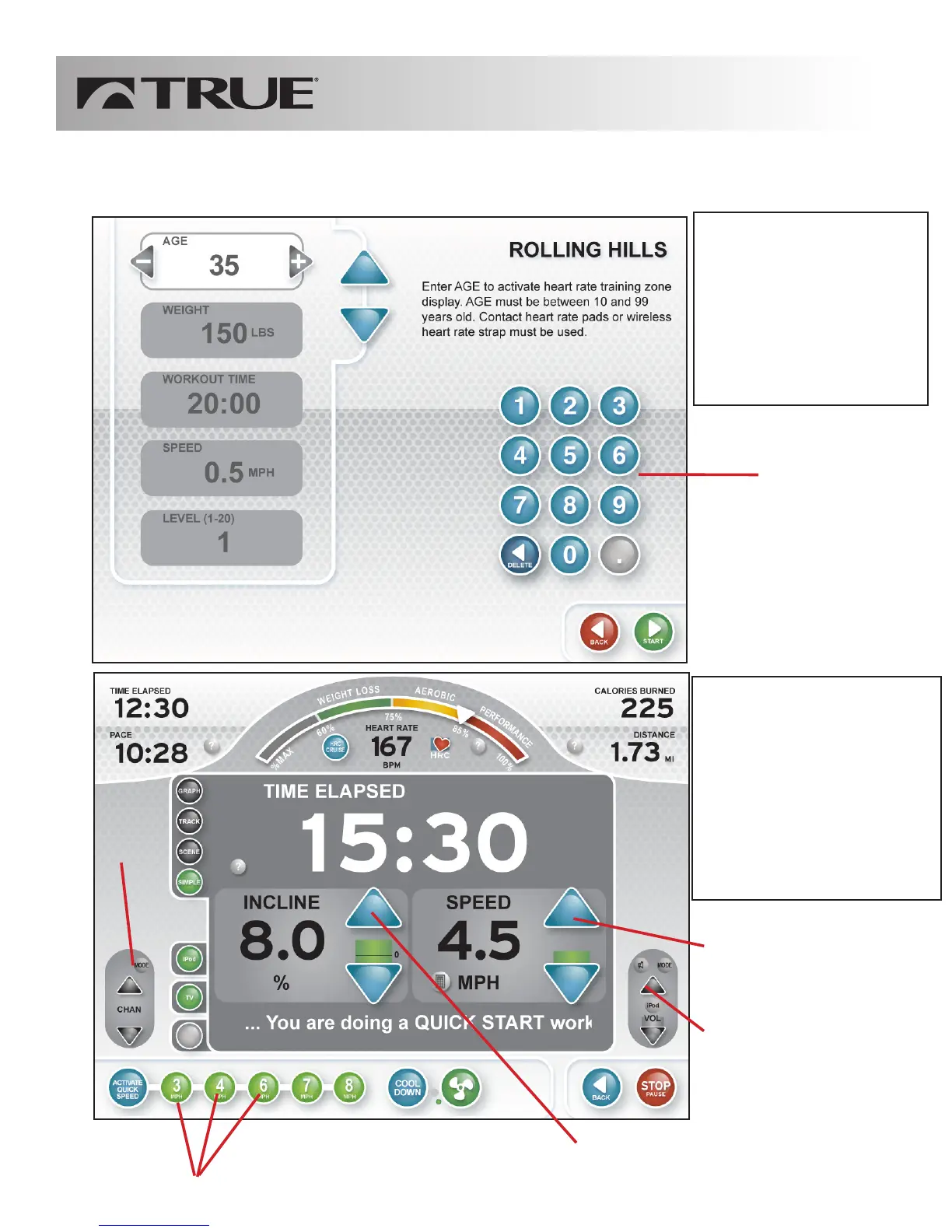
Data entry
After selecting a program
the data entry screen will
guide a user to enter
workout parameters.
Use keypad to enter
personal data such as age
and weight
data display
This is one example of a
data display. Applicable
data related to the current
workout will be displayed.
There are several options
for data display available.
Use arrows to adjust
speed
Media
Volume
Control
Buttons
Use arrows to adjust
incline
one-touch speed adjustment buttons
Media
Control
Buttons



 To Next Page