CHAPTER 7: ADDITIONAL INFORMATION
Truefitness.com / 800.426.6570 / 636.272.7100 32
TROUBLSHOOTING GUIDE (CONTINUED):
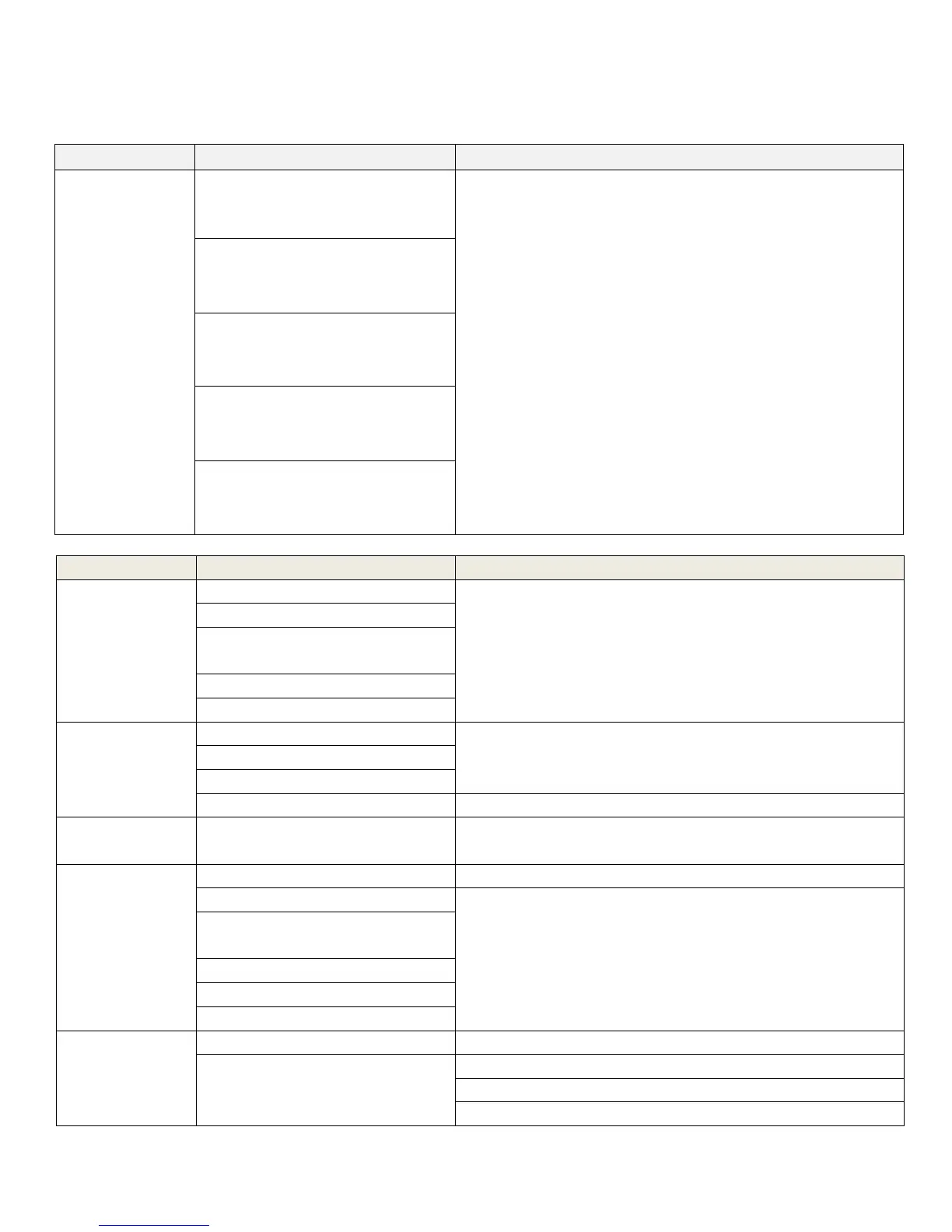
Heart rate is
displaying
erratically or not
displaying
(continued)
Environmental interference from
high voltage power lines
Move the unit to another position within the room or move
the cause of the interference until heart rate reading are stable.
If the probable source of interference is plugged into the same
outlet move the suspect source to another outlet.
Environmental interference from
computers
Environmental interference from
motor driven appliances
Environmental interference from
cell or cordless phone
Environmental interference from
Wi-Fi router
Elevation Stall
Invalid potentiometer feedback
Contact TRUE Fitness Customer Service Department
Loss of data cable connectivity
Disconnected or misaligned limit
switch
No power to incline motor
Blown fuse on lower control board
Speed Stall
Contact TRUE Fitness Customer Service Department
Insufficient power supply
Lubricate the unit (See Chapter 5: Treadmill Lubrication)
Key Stuck
A button is being constantly
engaged
Contact TRUE Fitness Customer Service Department
E5 Sensor
(Drive System
Error)
Lubricate the unit (See Chapter 5: Treadmill Lubrication)
Failing or misaligned speed sensor
Contact TRUE Fitness Customer Service Department
Damaged or disconnected data
cable
Insufficient power supply
Memory Fail
Contact TRUE Fitness Customer Service Department
Excessive static electricity
Lubricate the unit (See Chapter 5: Treadmill Lubrication)
Use a humidifier to add humidity to the air
Ensure the unit is plugged into a grounded outlet



 To Next Page