18
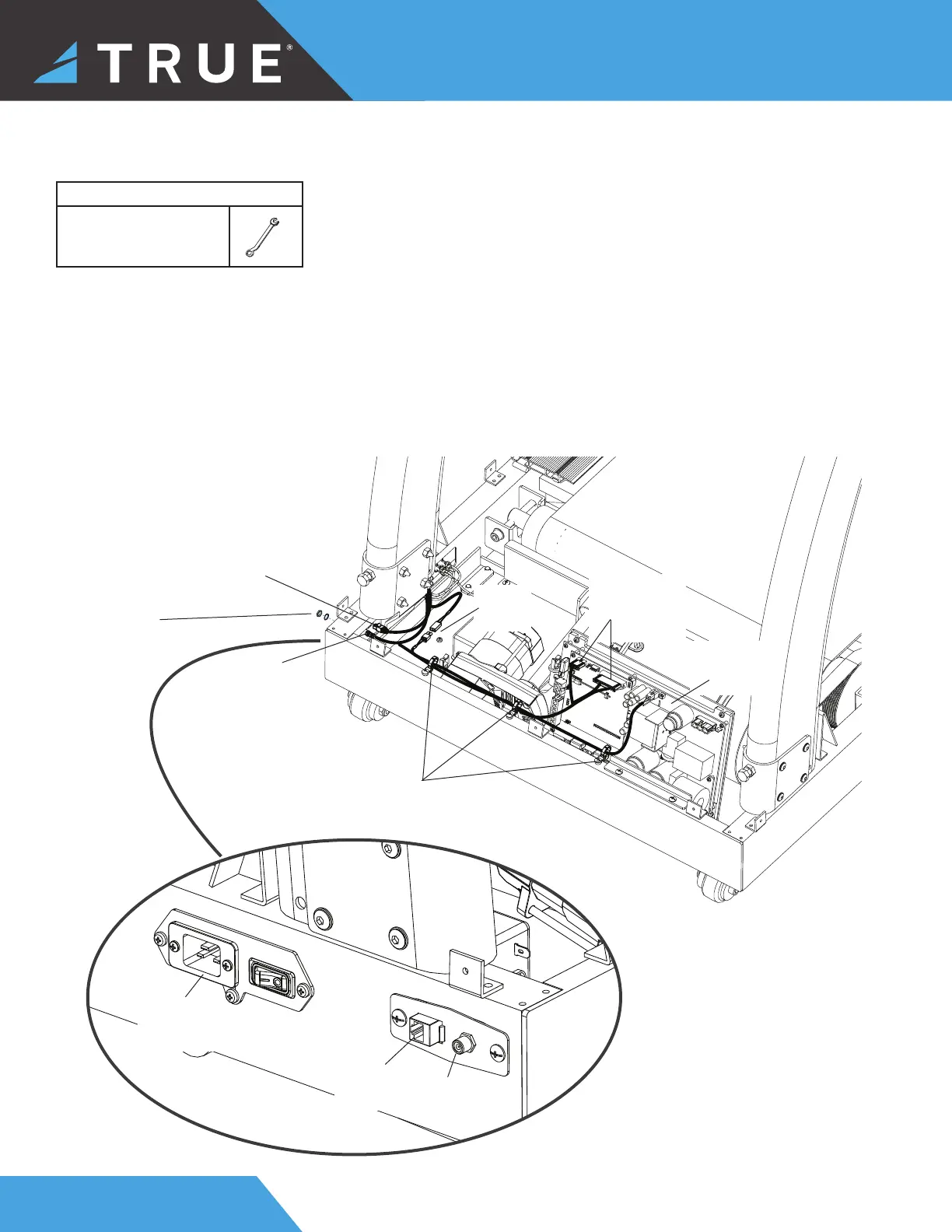
STEP 4—ROUTE AND CONNECT LOWER CABLES
Network
Cable
Coaxial Cable
Power
AUXPS
Cable
Lower Motor
Control
Board
I/O
Communication
Cable
ensure cables are routed
and secured through the
zip ties, so they do not get
damaged
Network
Cable
Connection
Coaxial
Cable
Connection
110V
Power Inlet
Assembly
Carefully make the following cable connections between the right pedestal and the base:
• I/O Communication Cable
• Power AUXPS Cable
• Network Cable
• Coaxial Cable
NOTE: To fully tighten the coaxial cable nut, use a 7/16” wrench.
Tools Used in this Step
7/16” Wrench
Coaxial Cable
Nut



 To Next Page