19
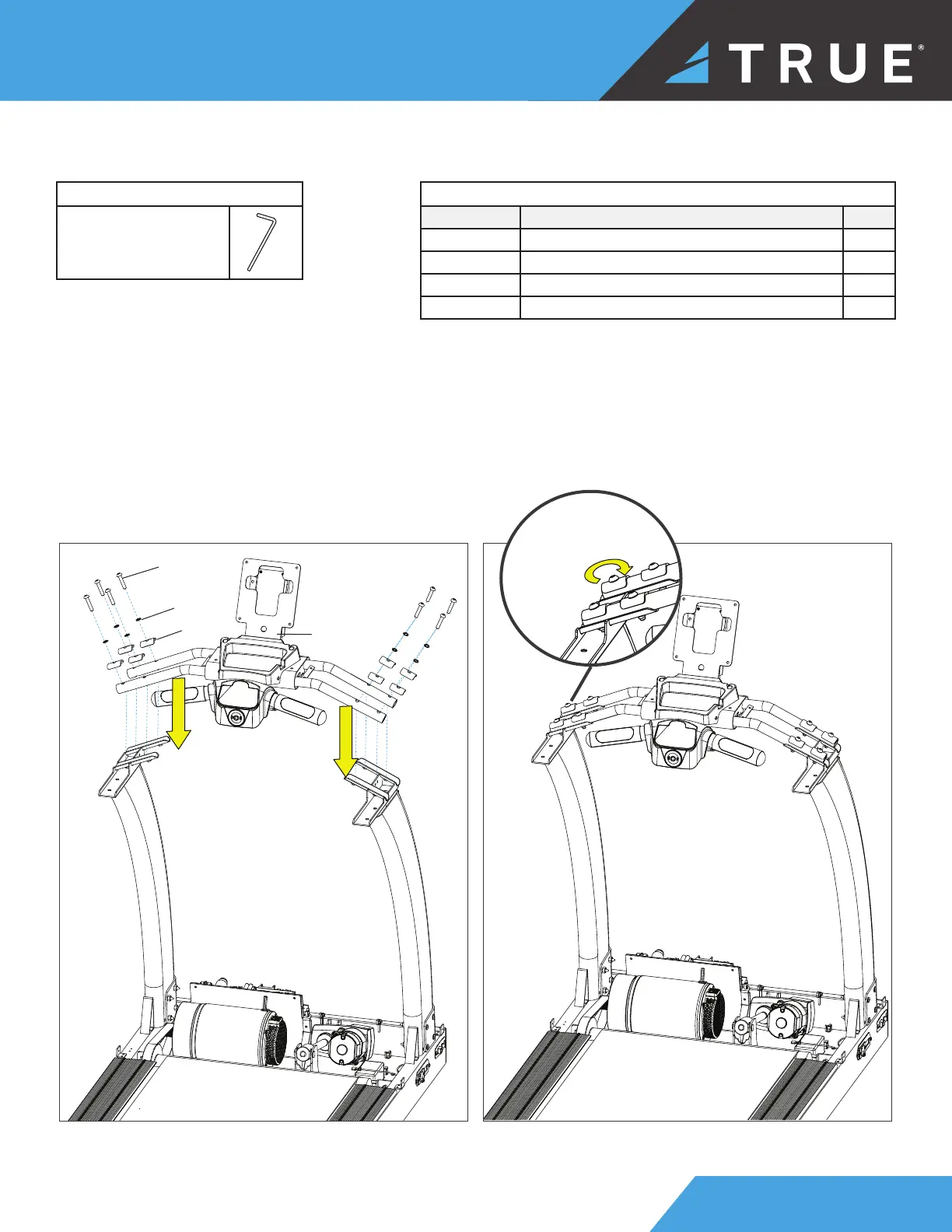
STEP 5—ATTACH CONSOLE RACK
Parts Used in this Step
PART DESCRIPTION QTY
PS0034 BHCS, M8X1.25X40MM 8
RT0011 WASHER, STAR, INTERNAL TOOTH, M8 8
TC6061 SUBASSEMBLY, PEDESTAL UPRIGHT-LH 8
N/A CONSOLE RACK 1
Tools Used in this Step
5mm Allen Wrench
1. Place the console rack on left and right pedestals.
2. Finger tighten or use the 5mm allen wrench to loosely attach the hardware on both the left and right side.
3. Once all the hardware is in place, use the 5mm allen wrench to fully tighten the console rack to the left and right
pedestals.
PS0034
TC6061
RT0011
Console
Rack
fully tighten all
eight bolts



 To Next Page