Trueshopping
Assembling the Handle
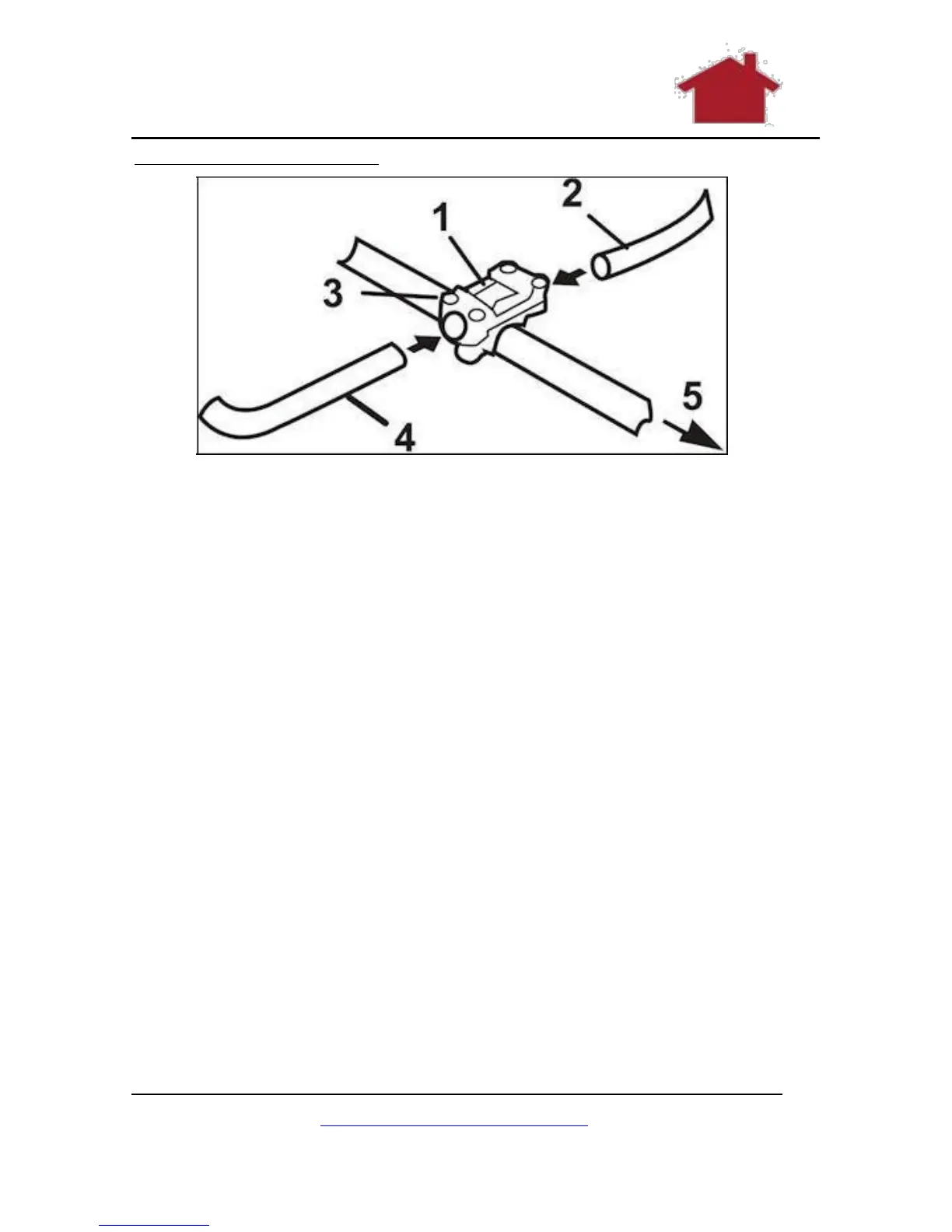
Figure 12 Attaching the Handle
These are the parts you need:
1. The long handle.
2. The two short handles.
Now attach as follows:
1. Loosen the 4 bolts on the handle bracket. (1) (2)
2. Insert the right handle with the throttle lever attached
and the left handle into the bracket. (3)
3. Tighten the bolts. (3)
4. Insert the left handle into the bracket. (4)
5. Tighten the bolts. (3)
6. Adjust both handles to a convenient work position before
starting the machine. (5)
7. The handle holder can be adjusted to your body height in
addition to the handle inclination by loosening the screws
on the rear side of the handle holder using the Allen key
and moving the handle holder to a position that is
convenient for you. Then tighten the screws.
www.TrueShopping.co.uk
Page: 17 of 69



 To Next Page