Trueshopping
8. Attach the throttle cable to the main engine unit as
shown below.
9. Fix the throttle cable on the drive unit and on the handle
using the cable ties.
Control Handle
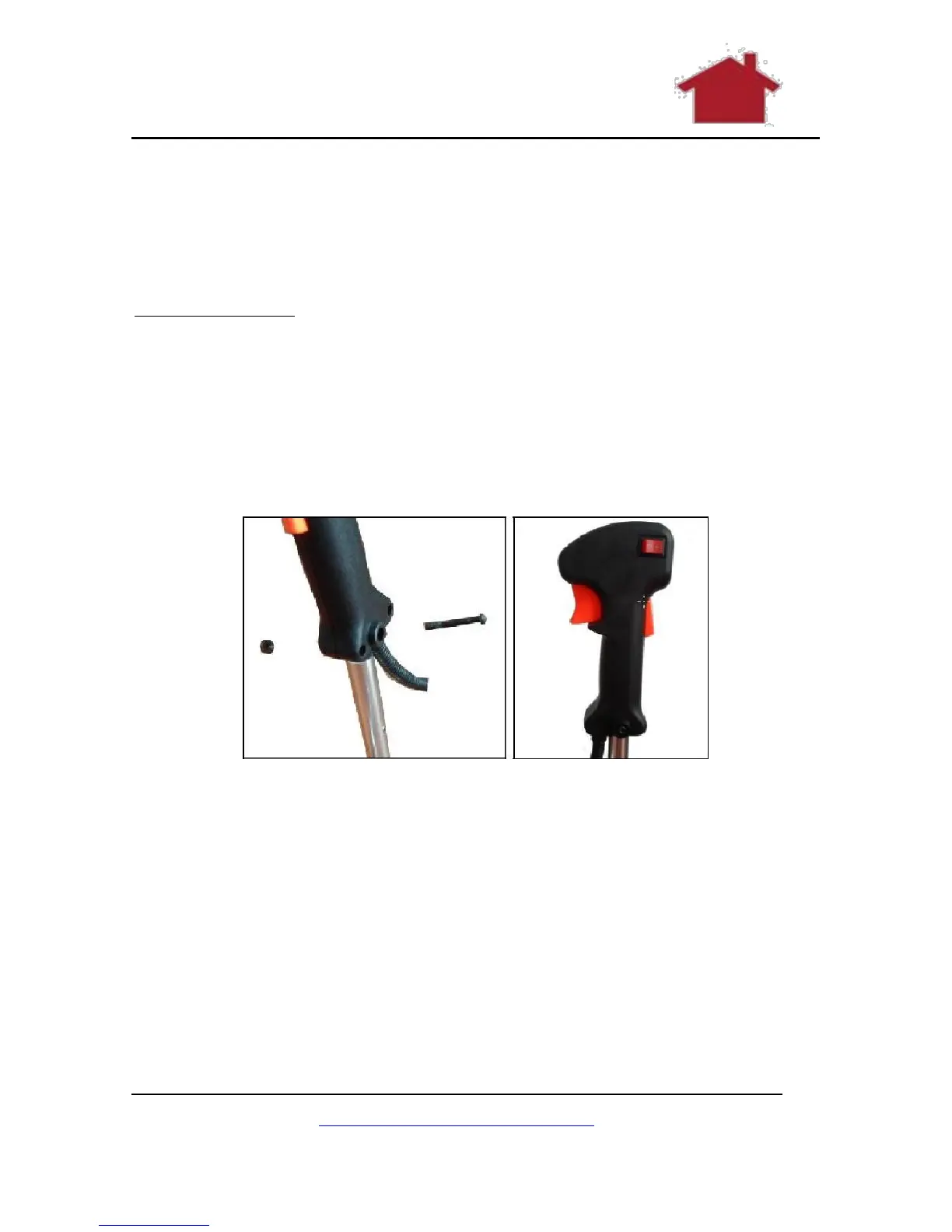
1. Loosen the pre-assembled screw with the screwdriver
and remove it, together with the now detached nut, from
the control handle.
2. Attach the control handle to the handle bar and secure it
with the screw and hex nut.
Figure 13 Removing the Screw
Figure 14 Attach the Control Handle
www.TrueShopping.co.uk
Page: 18 of 69



 To Next Page