Issue 1 – January 2020 Page 7
If the actuators have been started by accident and need to be stopped immediately then
press buttons D or F, see Emergency Switch Off - See Section 1 Paragraph 1.2.
With both the Powrtouch isolation switch and the handset switched on then: -
1. Press and hold the ‘Function’ button (E)
2. Whilst holding button E press the ‘Roller Disengagement’ button (J) and then
immediately release BOTH E and J buttons
3. The green LEDs in the indicator window will scroll to the left. All the green LEDs will
then flash as the mover is finalising its disengagement cycle.
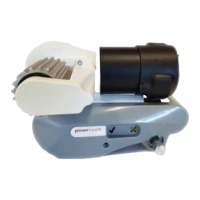
4. Always check that BOTH rollers are fully disengaged from the tires of the RV before
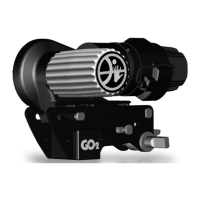
attempting to drive away. This can be done visually by checking the yellow Roller
Position Indicator located in the correct position as shown below.
DO NOT TURN OFF THE RED ISOLATOR KEY UNTIL THE MOVER HAS FULLY
PARKED. I.E ALL 4 GREEN LIGHTS HAVE STOPPED FLASHING.
The rollers can be removed manually from the tires in the unlikely event that they do not
retract electrically. (e.g. flat battery) To do this:
1. Switch off the isolation switch by turning the key anti-clockwise and removing.
2. Remove the end plug (shown in the picture below).
3. Insert the manual removal tool (T Bar) and turn 30 times anti-clockwise.
4. If in doubt consult Truma.


 To Next Page
 Loading...