Sight Fighter Digital Plus
8
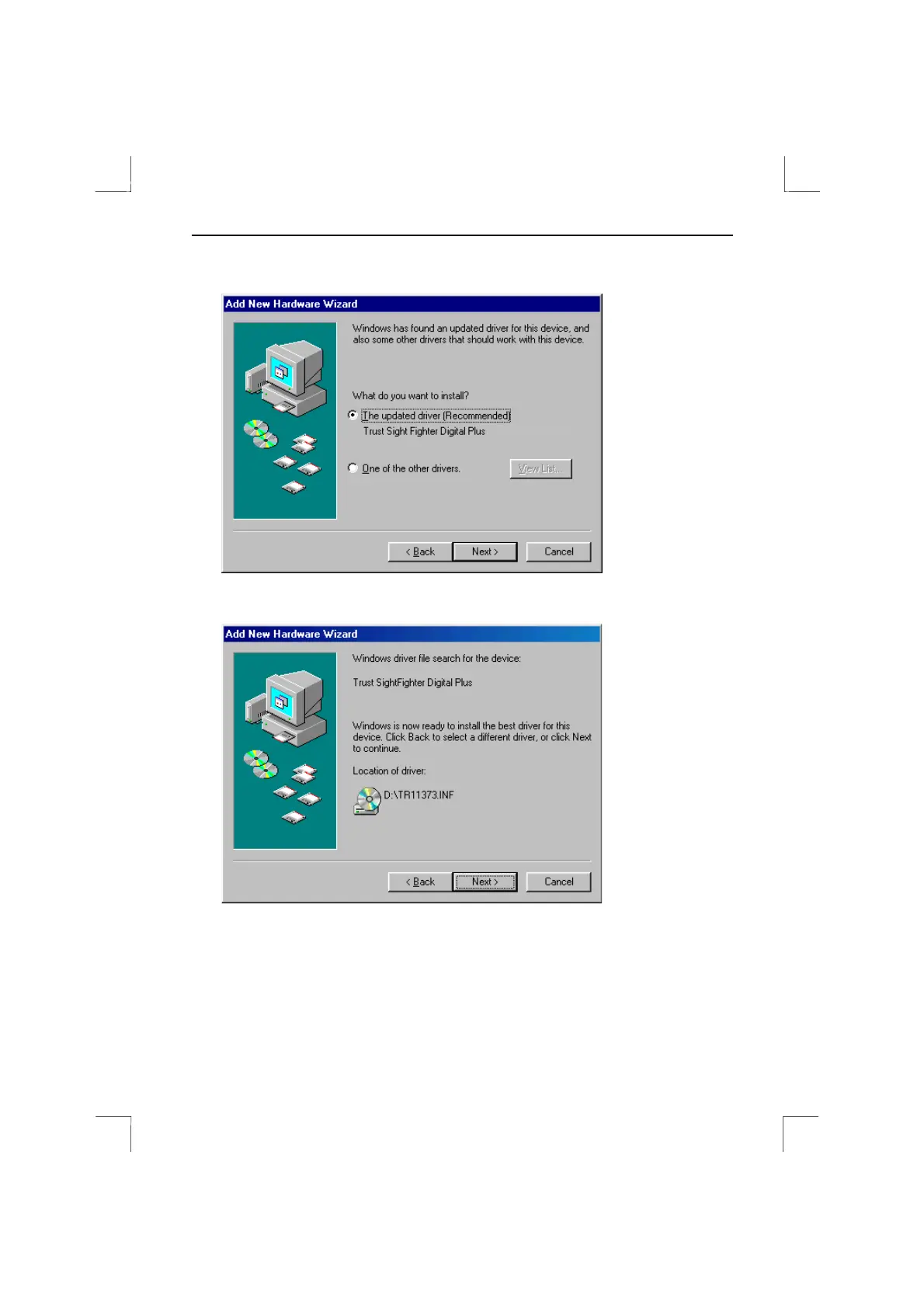
7. Tick the check box for 'CD-ROM drive' and click on 'Next'. Figure 5 will appear.
Figure 5: Driver found
8. Click on 'Next'. Figure 6 will appear.
Figure 6: Driver found
9. Click on 'Next'. A number of files will be copied to your computer. When
completed, figure 7 will appear. Continue the installation at point 3 in chapter 3.3.


 To Next Page