Sight Fighter Digital Plus
19
5.2 Extra settings
The button mapping software makes it possible to change extra settings on the game
pad. This is carried out as follows:
1. Double click on the icon in the taskbar (figure 17).
2. Click on 'Utility' in the menu bar and select 'Profile Editor'. Figure 19 will appear.
3. Click on 'Settings'. A list with two choices, 'Throttle' and 'Trigger', is displayed.
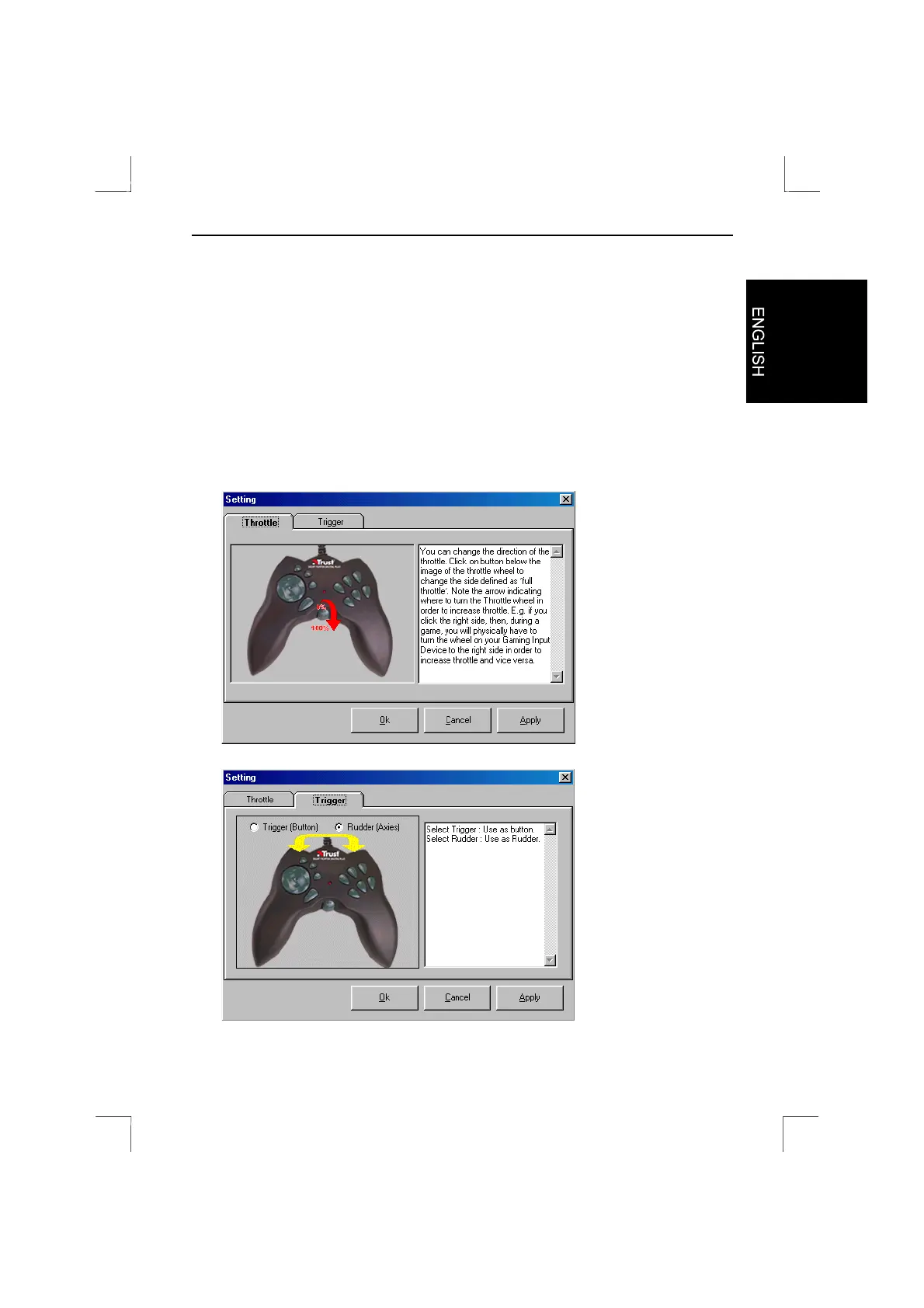
4. Select 'Throttle' if you wish to change the 3
rd
axis (see figure 21). Select 'Trigger'
if you wish change fire buttons O and P to a 'Rudder' axis (see figure 22).
Figure 21: Changing the throttle settings
Figure 22: Changing the trigger settings


 To Next Page