Sight Fighter Digital Plus
6
3.2 USB connection
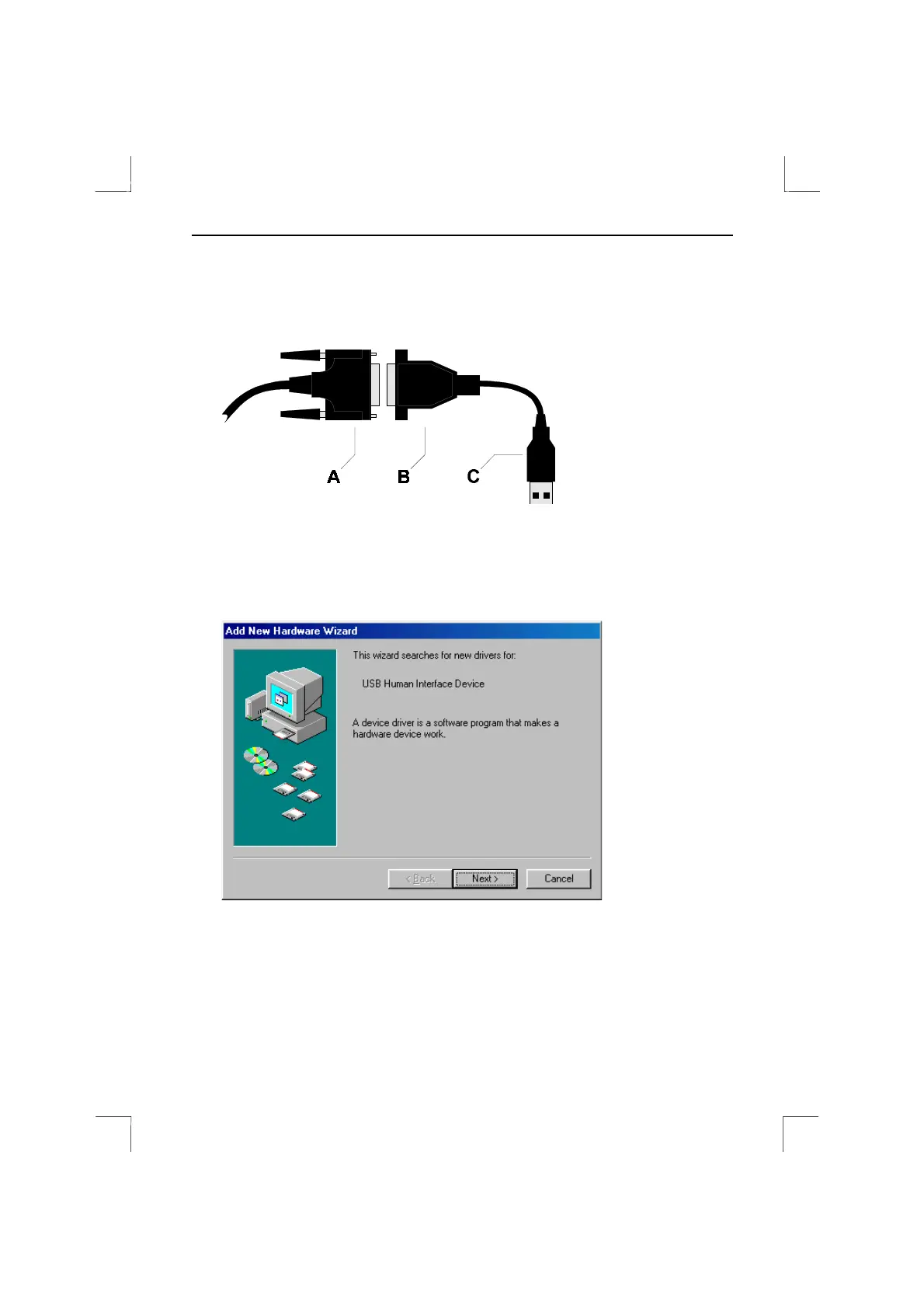
1. If it has not already been done, connect the USB conversion cable (B) to the
Sight Fighter Digital Plus game port plug (A) (see figure 1).
Figure 1: Connecting the game pad to the USB conversion cable
2. Start Windows 98.
3. Insert the USB plug (C) on the conversion cable into a free USB port on your
computer.
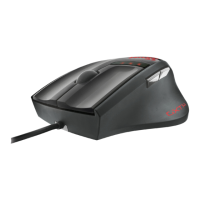
4. Windows will detect new hardware. Figure 2 will appear.
Figure 2: New hardware detected


 To Next Page