Sight Fighter Digital Plus
14
4. Use of the game pad
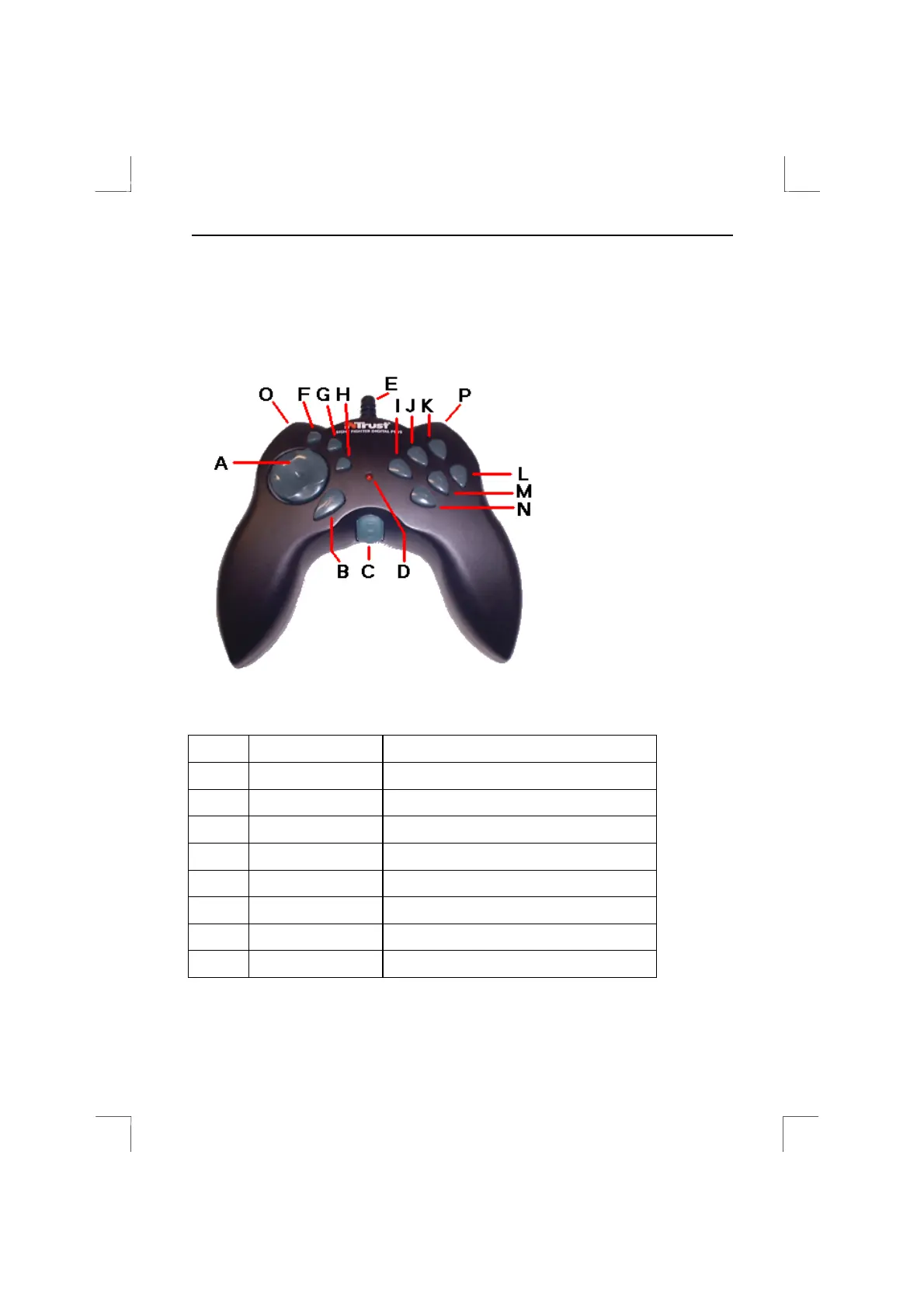
The game pad has the buttons shown in figure 16. Not all of the functions are used for
every game. Read the game's instruction manual to see which buttons to use.
Keystrokes can also be assigned to the fire buttons (see chapter 5).
Figure 16: Sight Fighter Digital Plus
Button Function Comment
A
D pad
B
Fire button
C
Throttle Set a game function, e.g. accelerator.
D
Red LED Is on when the game pad is connected.
E
Cable
F to N
Fire buttons Programmable
O
Left fire button Also 4
th
axis (rudder)
P
Right fire button Also 4
th
axis (rudder)
Table 1: Description of figure 16


 To Next Page